Hi everyone – I’m pleased to announce that JAMMArcade will no longer be shutting down in August as previously posted.
I’ve worked with Porchy to transfer the site over to long-term, sustainable web hosting, and I will also be taking over the reigns as “editor-in-chief” of JAMMArcade going forward. Porchy will continue to host and manage the PLD Archive, and I strongly encourage all of you to visit that page and donate to support the hosting of that site – it’s a valuable resource!
Who am I? My online handle is ShootTheCore, and I’m a lifelong video game enthusiast who first learned how to diagnose and repair arcade boards by reading the logs here on JAMMArcade. I’ve been active in both arcade and console repairs for some time, and even started documenting my own repairs last year at https://www.shootthecore.tech . I’ll be migrating those repair logs over to this site gradually over the next few weeks.
In a nutshell, here is what to know about JAMMArcade.net going forward:
This website will continue to operate for the foreseeable future.
All of the prior content and downloadable files have carried over.
The login accounts that prior contributors used when writing for the site are still active.
If you’re interested in contributing fresh content to JAMMArcade.net, please contact me here.
GeneralComments Off on [4/9/2024 UPDATE – Site No Longer Closing]
Apr032024
After many years of arcade repairs, the time has finally come to hang up my soldering iron and move on. Its probably obvious that my interest in arcade repairs has dwindled over the last few years and with this site still taking up a lot of my space and file count, I think its time to close it down.
It will remain up until August which is when the hosting is paid up to. After this time the site will disappear so if there is anything on here that you want to keep, please make a copy of it before August.
The money saved from this will allow me to keep the PLD Archive Wiki up and running at a reasonable cost for a hobbyist.
Its been a great ride and I’ve loved most of my time in this hobby but the time has come to move on. Thank you to everyone that has ever supported me and this site and I wish you all the very best for the future.
Download KMS Activator for Windows 10 to Activate Windows and Office
If you want to activate your Windows 10 or Microsoft Office, you can download KMS activator for Windows 10. This tool helps users unlock the full features of their software without paying for a license. It works by activating Windows and Office through a special process called Key Management Service (KMS). Many people use this method because it is fast and easy to use.
When you download KMS activator for Windows 10, it allows your computer to recognize the software as genuine. This means you can get updates and use all the functions without any restrictions. The activator supports different versions of Windows 10 and various Office editions, making it a popular choice for many users.
Using KMS activator for Windows 10 is simple. After downloading, you just run the program, and it will automatically activate your Windows and Office. This saves time and avoids the need to buy expensive licenses. However, it is important to use trusted sources to download the activator to keep your computer safe from viruses or malware.
Features and System Requirements of KMS Activator for Windows 10 and Office
When you choose to download kms activator for windows 10, you get a tool that works with many Microsoft products. This activator supports not only Windows 10 but also different Office versions like kms activator for office 2016, kms activator for office 2019, and kms activator for office 365. It is designed to work on both kms activator for 32-bit systems and kms activator for 64-bit systems, making it flexible for various computers.
One great feature is that it can help with windows 10 activation without product key, which means you don’t need to buy or enter a product key manually. The activator also supports kms activator for windows 8.1, so users with older systems can benefit too.
Key Features of KMS Activator for Windows 10 and Office 2016/2019/365
Supports multiple Microsoft Office versions: 2016, 2019, and 365
Works for both 32-bit and 64-bit systems
Enables windows 10 activation without product key
Compatible with Windows 8.1 and Windows 10
Simple and fast activation process
No need for internet connection after activation
“The activator makes it easy to unlock full features without complicated steps.”
System Requirements for Running KMS Activator on 32-bit and 64-bit Systems
Requirement
Details
Operating System
Windows 8.1, Windows 10
System Type
32-bit or 64-bit compatible
Office Versions
Office 2016, 2019, 365
RAM
Minimum 1 GB
Disk Space
At least 100 MB free
User Permissions
Administrator rights required
The activator runs smoothly on both kms activator for 32-bit systems and kms activator for 64-bit systems. It needs administrator access to make changes for activation.
Benefits of Using KMS Activator for Windows 10 Pro, Enterprise, and Home Editions
Using this tool to download kms activator for windows 10 offers many benefits:
Activates all editions including Pro, Enterprise, and Home
Removes limitations by enabling full Windows and Office features
Saves money by avoiding purchase of product keys
Supports multiple Office versions for better productivity
Works offline after activation, so no constant internet needed
Security Notice: Is KMS Activator Safe to Use?
While kms activator for windows 10 is popular, it is important to be careful. Using activators from unknown sources can risk your computer’s safety. Always ensure you download kms activator for office 2016, kms activator for office 2019, or kms activator for office 365 from trusted places. Running the activator with administrator rights is necessary but be sure your antivirus is active to avoid malware.
“Safety depends on where you get the activator and how you use it.”
Step-by-Step Guide to Download and Use KMS Activator for Windows 10
Using a KMS activator is a popular way to activate Windows 10 without needing a product key. This guide will help you understand how to get the tool and use it to activate your system permanently. Follow the steps carefully to ensure a smooth activation process.
How to Download KMS Activator for Windows 10 64 Bit Without Product Key
Downloading the right tool is the first step to activate Windows 10. Here’s how you can do it:
Search for a reliable windows 10 activator download option that supports 64-bit systems.
Choose the kms activator download that allows you to Download kms activator for windows 10 without product key.
Make sure the file is safe and free from viruses before downloading.
Save the file to a folder where you can easily find it.
Tip: Always check that the activator matches your Windows version to avoid errors.
How to Activate Windows 10 Permanently Using KMS Activator
Once you have the activator downloaded, follow these steps to activate windows 10 permanently:
Right-click the activator file and select “Run as administrator.”
Follow the on-screen instructions to start the Windows 10 KMS activation process.
Wait for the tool to complete the activation. This usually takes a few minutes.
Restart your computer to apply the changes.
Check your activation status in the system settings to confirm success.
Step Number
Action
Notes
1
Run activator as administrator
Required for proper activation
2
Start activation process
Follow prompts carefully
3
Wait for completion
Do not close the program
4
Restart PC
Applies activation changes
5
Verify activation
Check system settings
Activating Office 2016, Office 2019, and Office 365 with KMS Auto Activator
The KMS activator is not only for Windows 10 but also works for Microsoft Office versions like 2016, 2019, and 365. To activate these:
Open the KMS activator tool.
Choose the option for Office activation.
Click the button to start the activation.
Wait until the process finishes.
Confirm activation by opening any Office app and checking the license status.
Activating Office products with the same tool saves time and keeps all your Microsoft software genuine.
Troubleshooting Common Issues with Windows 10 KMS Activation
Sometimes, the activation process might not work as expected. Here are some common problems and solutions:
Activation fails or shows error:
Make sure you ran the activator as administrator.
Disable antivirus temporarily as it may block the process.
Check your internet connection if online verification is needed.
Activation expires after some days:
Run the activator again to renew the license.
Use a version of the activator that supports permanent activation.
System shows unlicensed after restart:
Ensure you followed all steps correctly.
Try restarting the computer again.
If problems continue, consider reinstalling the activator or checking for updates.
How to Remove KMS Activator Completely from Your System
If you want to uninstall the KMS activator after activation, follow these steps:
Open the Control Panel and go to “Programs and Features.”
Find the KMS activator in the list of installed programs.
Select it and click “Uninstall.”
Follow the prompts to remove the software.
Restart your computer to complete the removal.
Removing the activator does not deactivate Windows 10 if it was successfully activated permanently. This helps keep your system clean and secure.
Many people have questions about using a windows activation tool like KMS activation software. Below are some common questions and clear answers to help you understand how these tools work.
Can I Activate Windows 10 Pro Without a License Key Using KMS Activator?
Yes, a windows 10 activation tool such as KMS activator can activate Windows 10 Pro without needing a license key. This software uses a special method to make your system think it is properly licensed.
It works by connecting to a virtual server that provides activation.
You don’t have to enter a product key manually.
Activation is usually quick and easy after you download the kms activator download file.
Note: Always use trusted sources to get the kms activation software to avoid security risks.
Is Activation Permanent with KMS Activator Software?
Activation using a windows activation tool like KMS activator software is often temporary but can be renewed automatically.
The activation usually lasts for 180 days.
After that, the kms activation software can reactivate Windows automatically.
Some versions of the tool support permanent activation by renewing the license repeatedly.
Activation Type
Duration
Renewal Needed?
Temporary
About 180 days
Yes, automatic
Permanent
Indefinite
No, if supported
Does KMS Activator Work for Windows 11 and Older Versions Like Windows 8.1?
KMS activation software is mainly designed for Windows 10 but often supports other versions too.
Many kms activation tools work with Windows 8.1 and Windows 10.
Some tools may also support Windows 11, but compatibility varies.
Always check the tool’s description before downloading to ensure it supports your Windows version.
Are There Alternative KMS Activators for Windows and Office?
Yes, there are several alternative kms activation software options available for both Windows and Microsoft Office.
Some tools focus only on Windows activation.
Others can activate Office versions like Office 2016, Office 2019, and Office 365.
Alternatives may offer different features or user interfaces.
Tip: Compare features and user reviews before choosing a kms activation software.
How to Download KMS Activator for Office 2016 Free?
To get a kms activator download for Office 2016 without cost, follow these simple steps:
Search online for a trusted kms activation software that supports Office 2016.
Choose a safe download link for the kms activator download file.
Save the file to your computer.
Run the activator as administrator to start the activation process.
Always scan the downloaded file with antivirus software before running it to keep your system safe.
This is my first repair log on an arcade board, i hope that my text will not be too long and useful to anyone having problems with their own PCB of the same game.
The preambule of this repair :
First thing first, i bought this PCB sold as broken with repair required, paid 130 euros.
On reception :
After pluging the board on my jamma system, i noticed that the board has at least 4 problems to fix.
The first is that i get japanese characters on screen. After reading each eproms and socketed maskroms, i see that FU-05 is from the wrong set. The solution was easy peasy : i bought a 27512 brand new on ebay, and burn the right content from the world set.
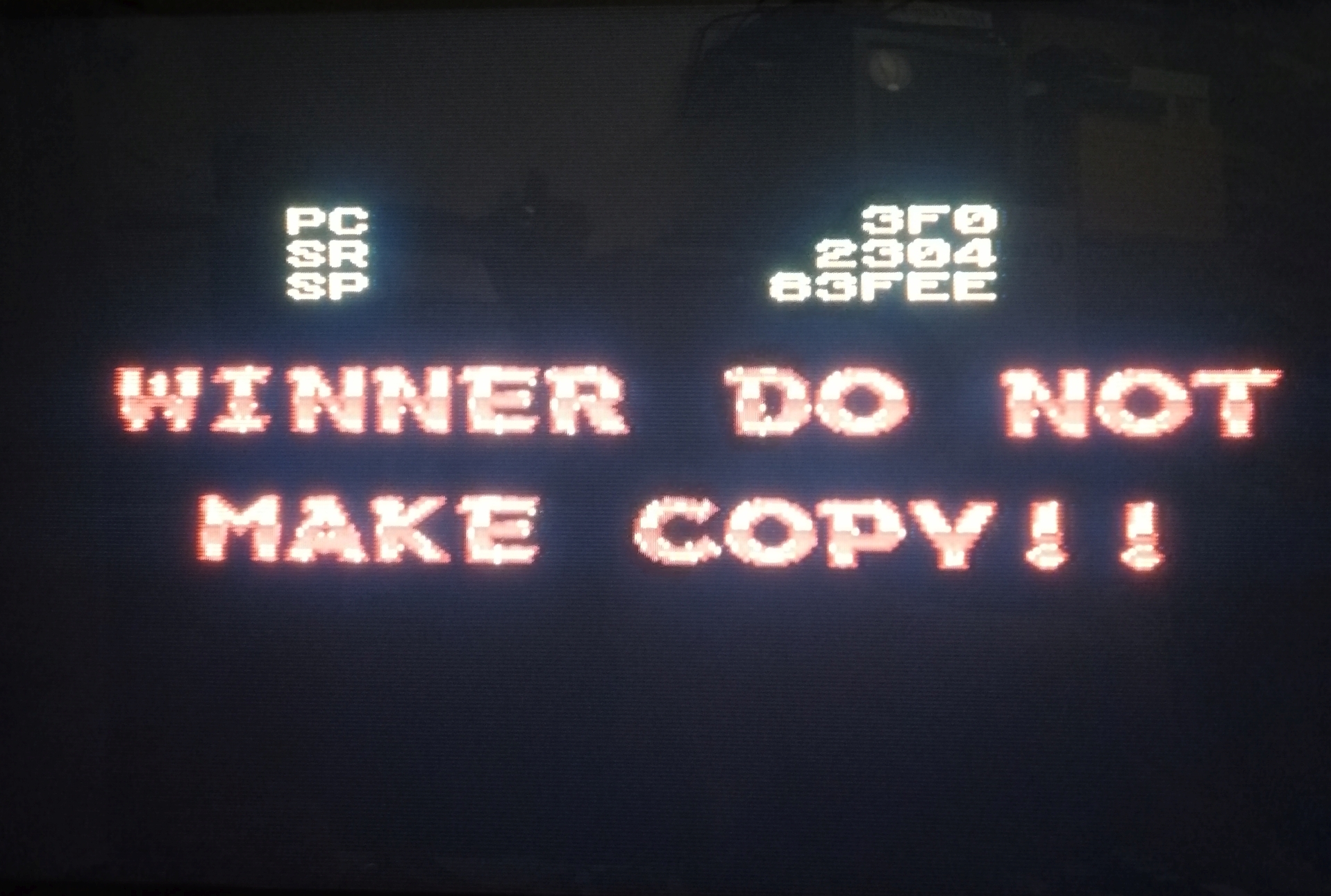
Once this first problem is fixed, i get this screen :
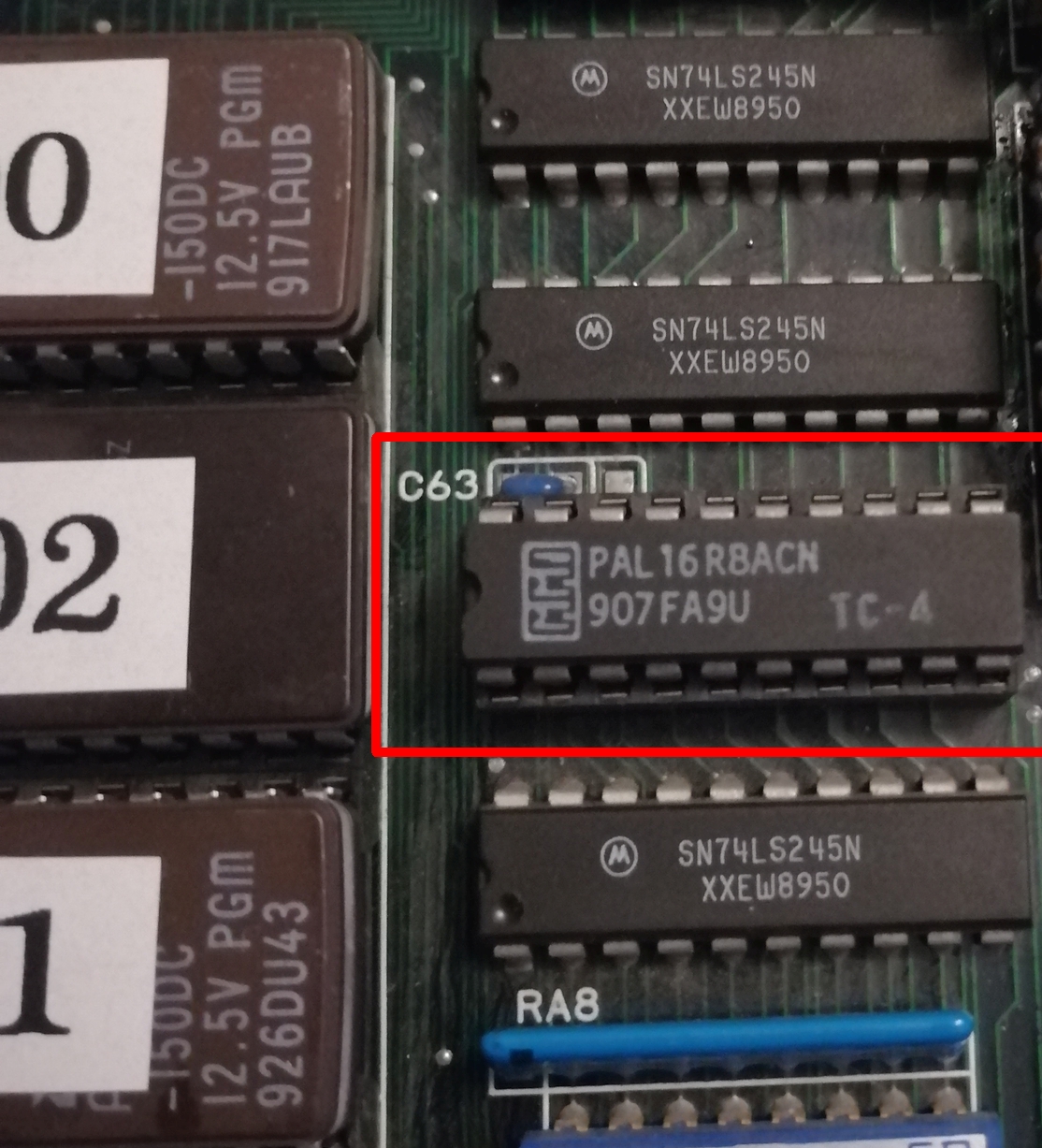
This error has already been solved by Porchy, this message appear when the routine that check the presence of the TC4 PAL chip fails. It indicates that the TC4 chip is wrong or toasted. And indeed, by checking with the magical finger touch, the chip is very hot.
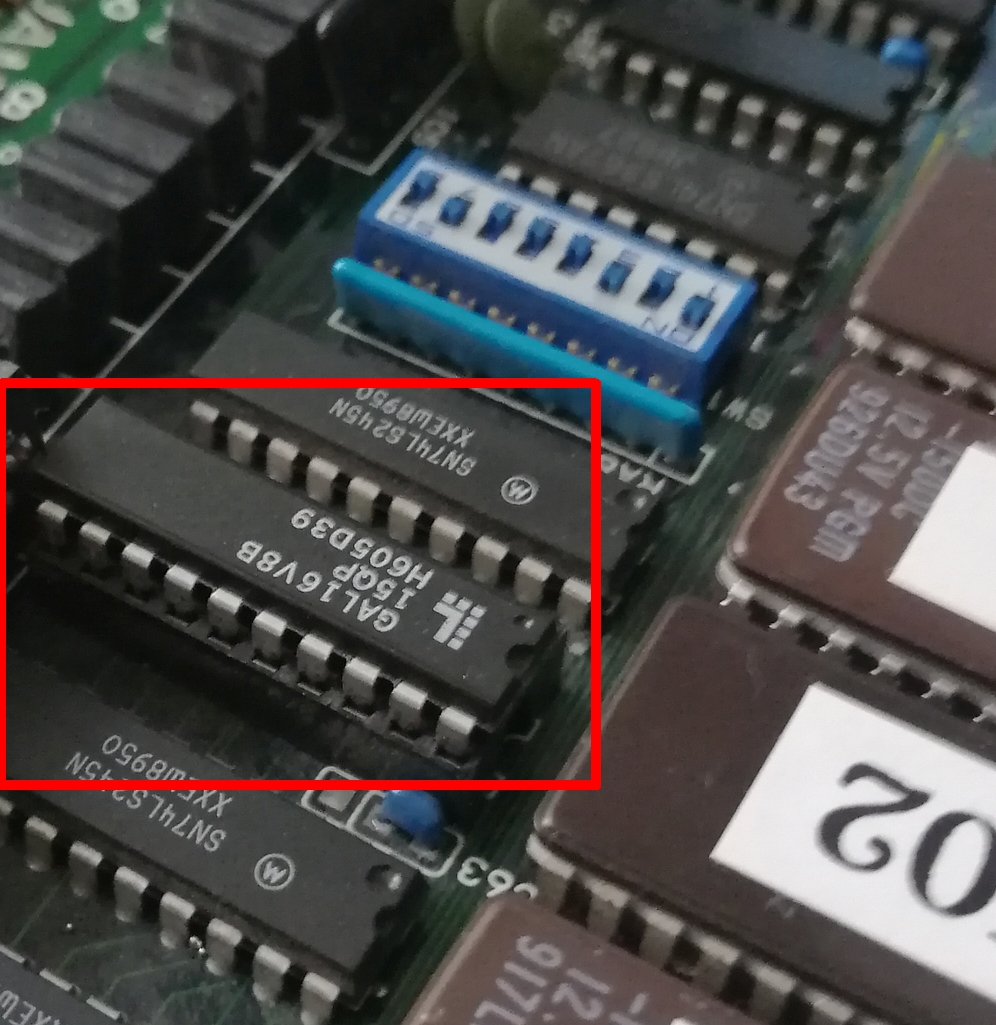
So as a solution, i bought a replacement GAL 16V8 on ebay :
Now, the game boot correctly.
Let’s check the next problem to fix :
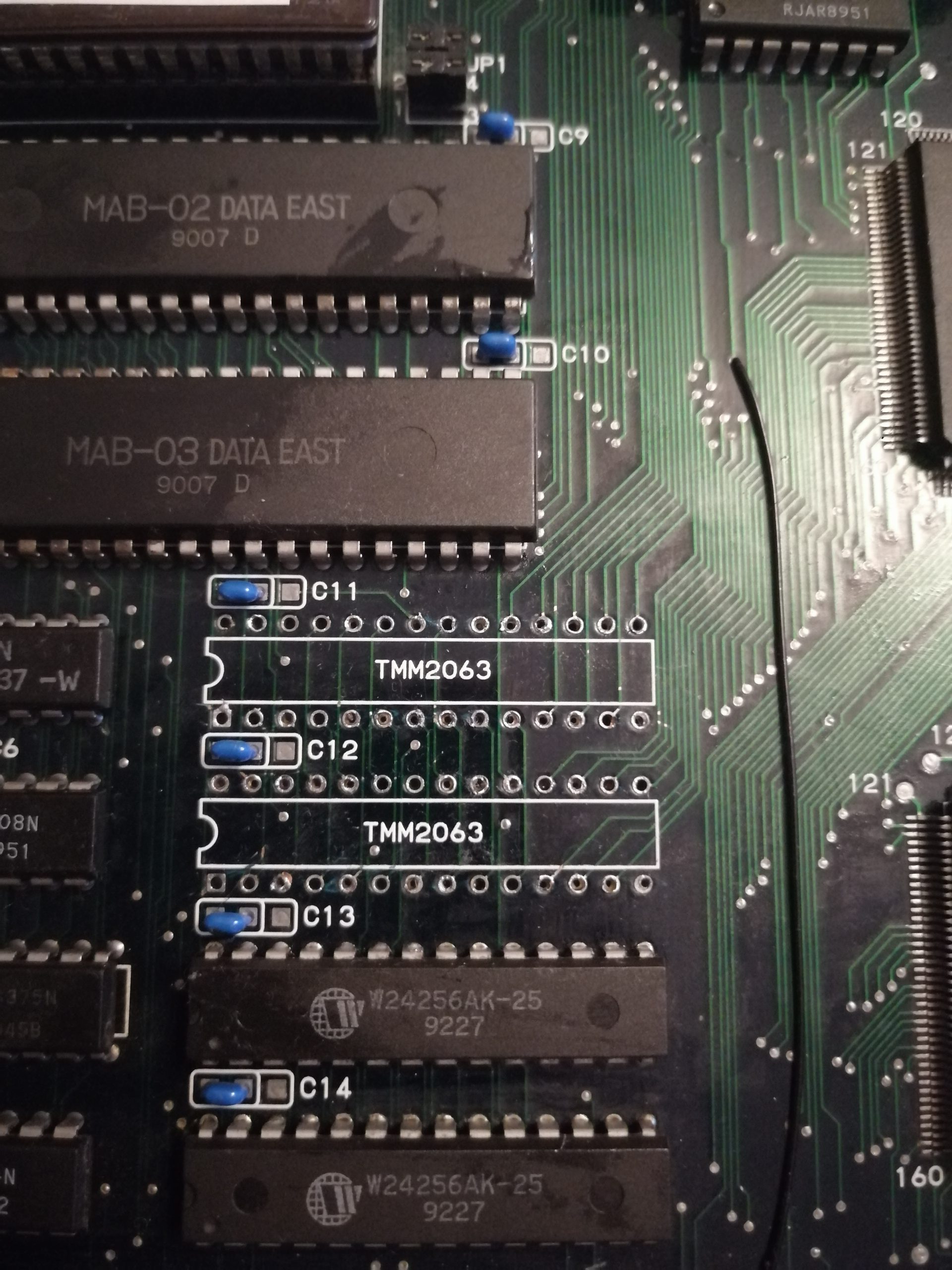
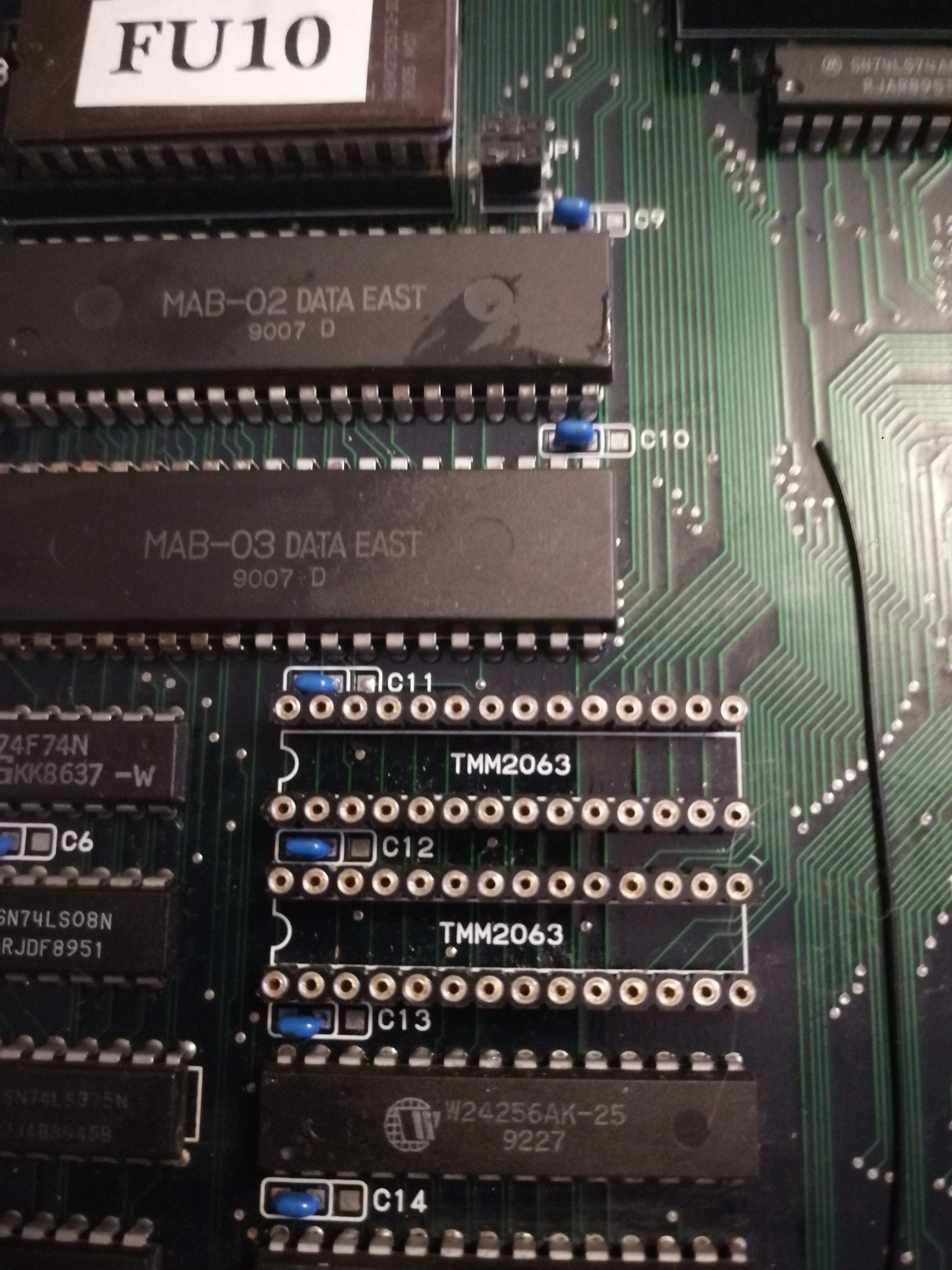
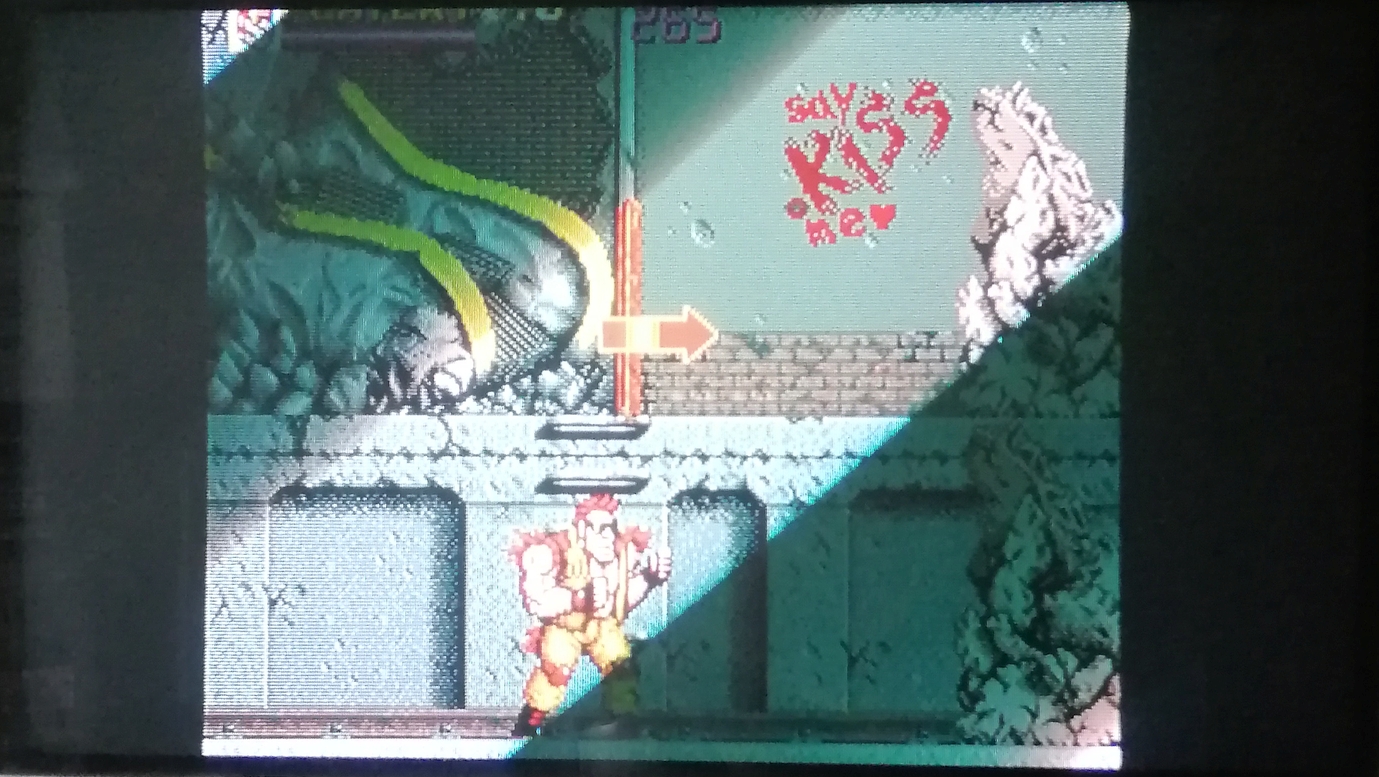
I see that the graphics are simply flashing constantly on the screen, it’s a mess. The culprit are the sram located here :
Those are TMM2063, and when i passed my finger on them, they were incredibly hot on touch, and the graphics were going crazy on screen. In order to confirm they are shot, i piggyback with new sram replacements bought on ebay : graphics are now fixed !
Let’s remove the buggers :
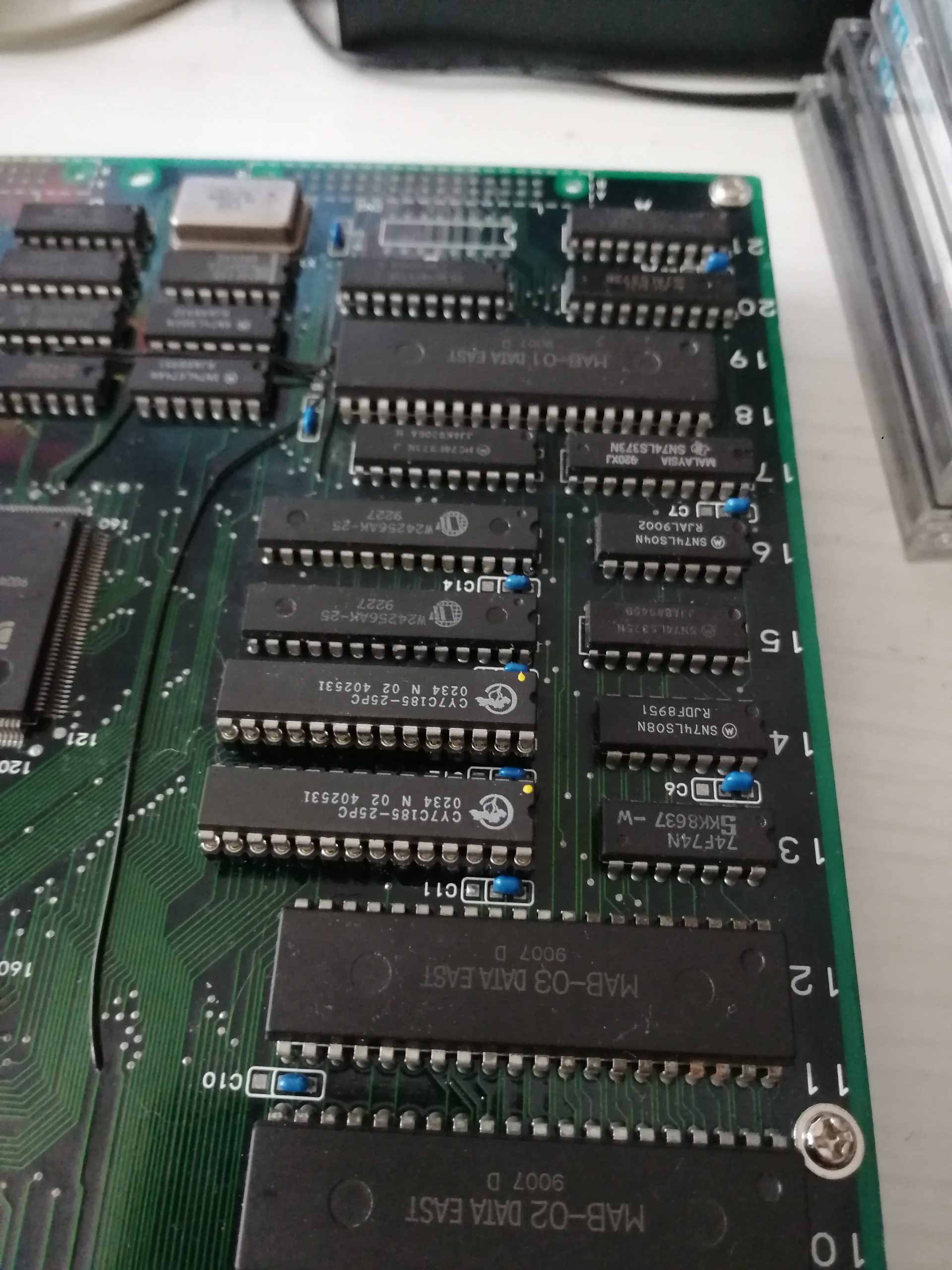
And install the brand new SRAMs :
Last problem to fix :
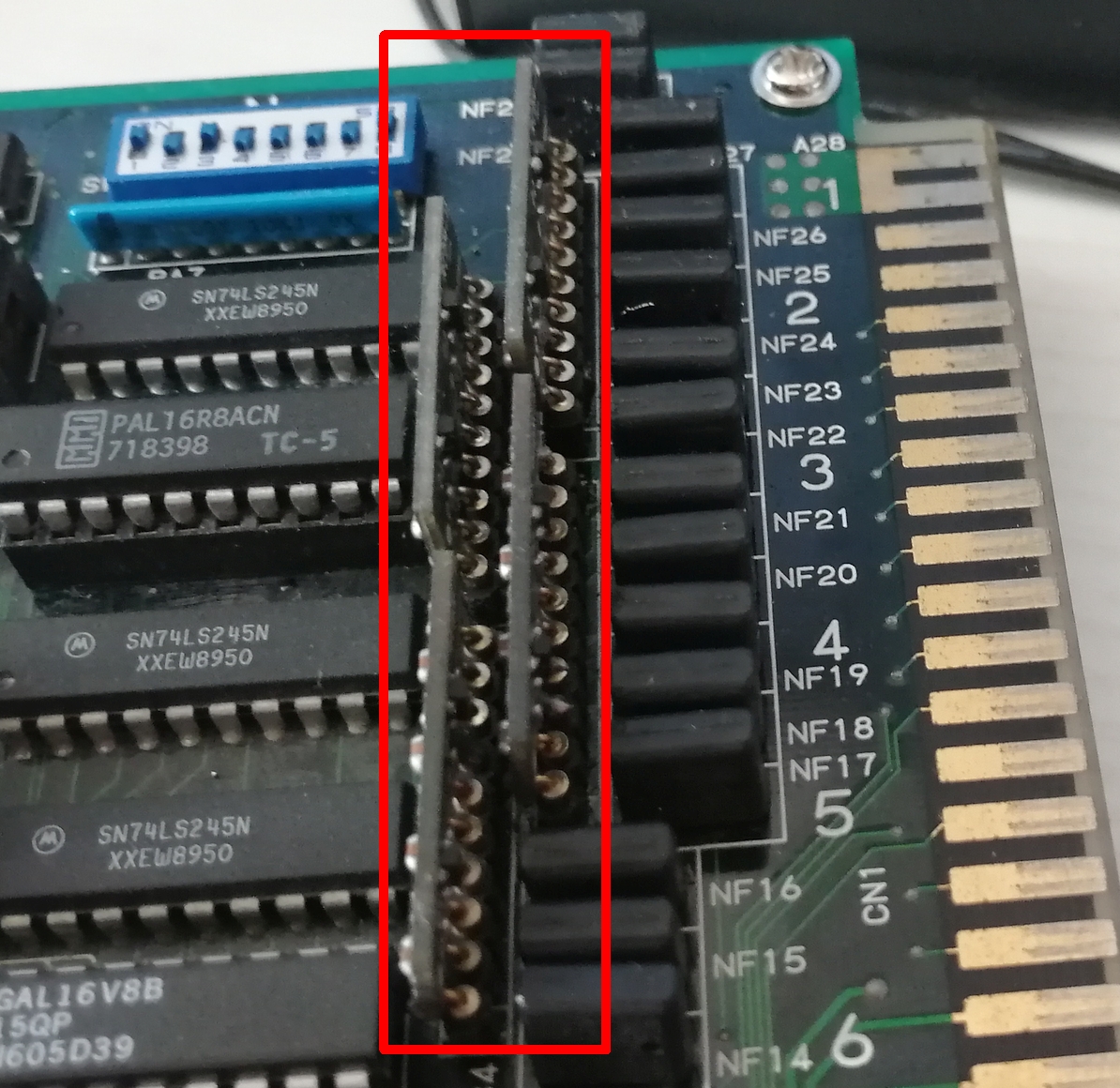
I noticed that jump button and start button for PL1 are not working. this board seems to have been connected backwards, so the RC1 custom components are shot. So i contacted Caius, who sold me 4 replacement RC1 pcbs, that i replaced on the board :
It was not easy to remove properly the dead RC1 components, i got 2 traces cut, that i patched after checking them with my multimeter.
Thanks to Caius on a few tips and hints here and there, the PCB is now fully working.
Another board saved ! 😀
Dlfrsilver
(With many thanks to Caius for the help and the replacement parts).
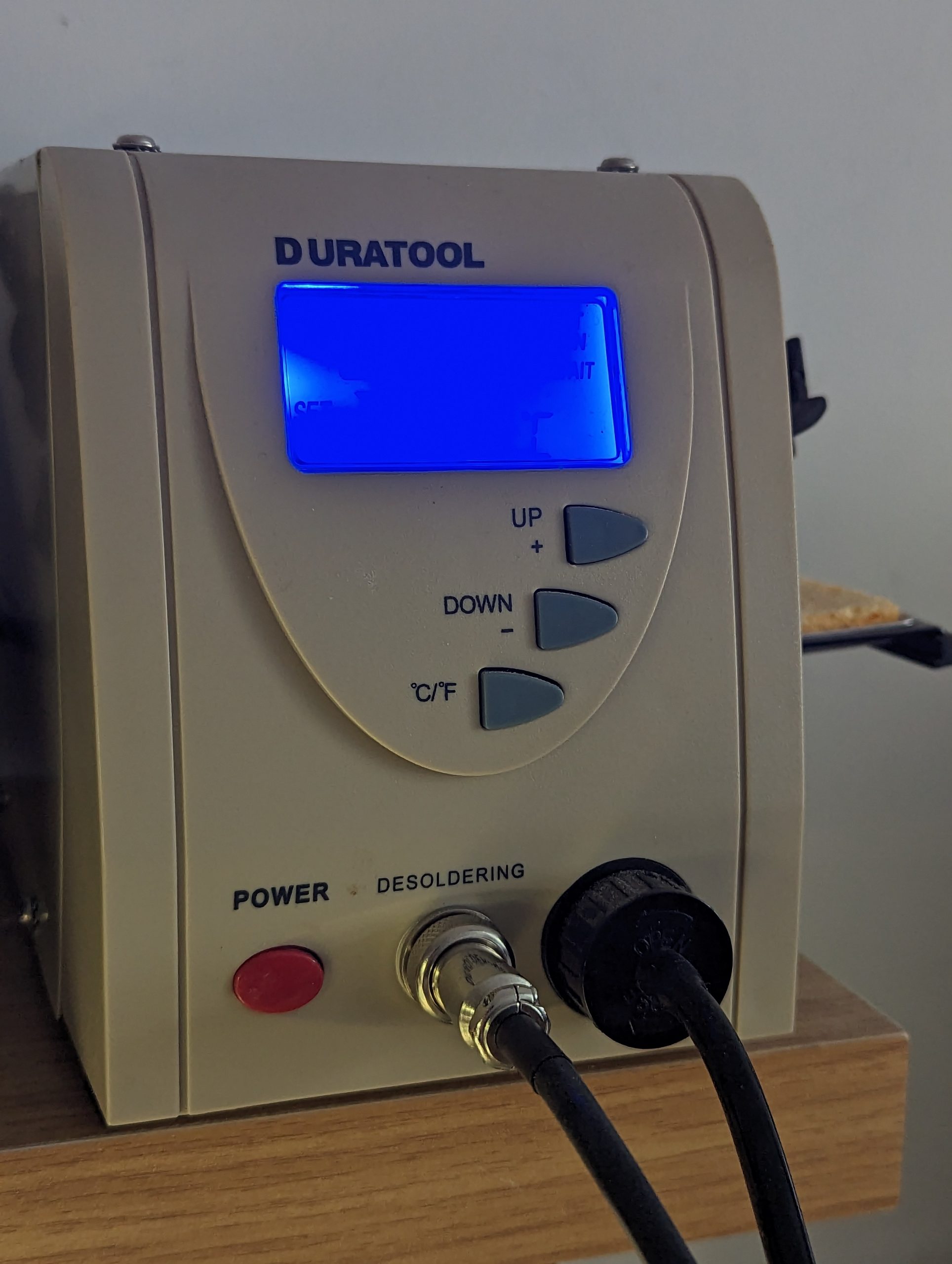
I’ve used this cheap desoldering station for many years now. Despite its quirks and constant demand for cleaning its been a great work horse.
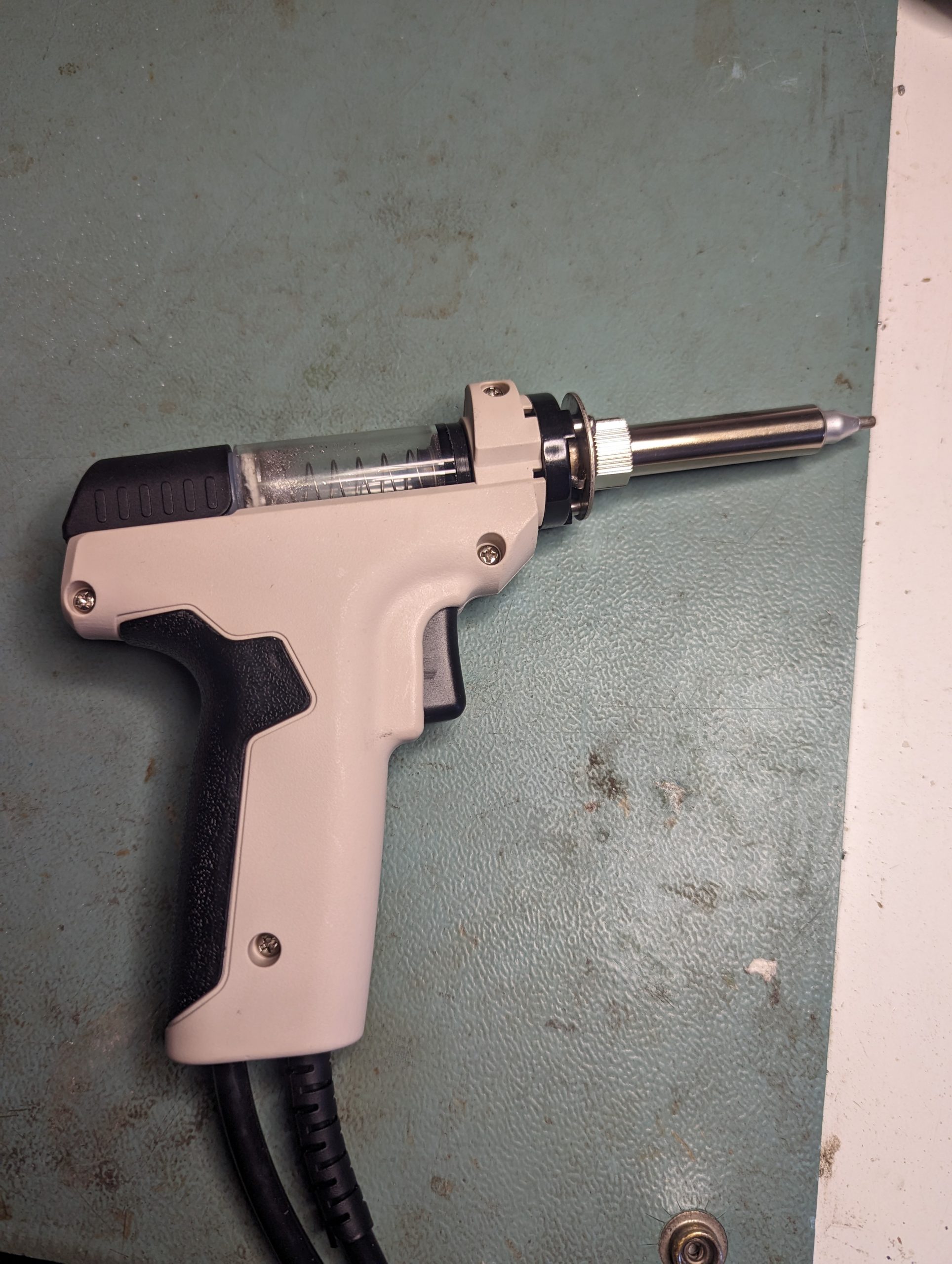
The an immovable blockage happened recently and I just couldn’t clear it so decided it was time to replace the element. I thought I had a spare from years ago but turns out I have ordered the wrong part.
Looking for the correct part I found it was almost the same price to buy a new gun part itself and I wouldn’t have to mess around slicing the wired inside.
New gun came and all was well in the world for around 5 minutes when the unit got stuck in a reset loop.
Obviously there was a short somewhere so set to work checking resistance until I found a shorted element.
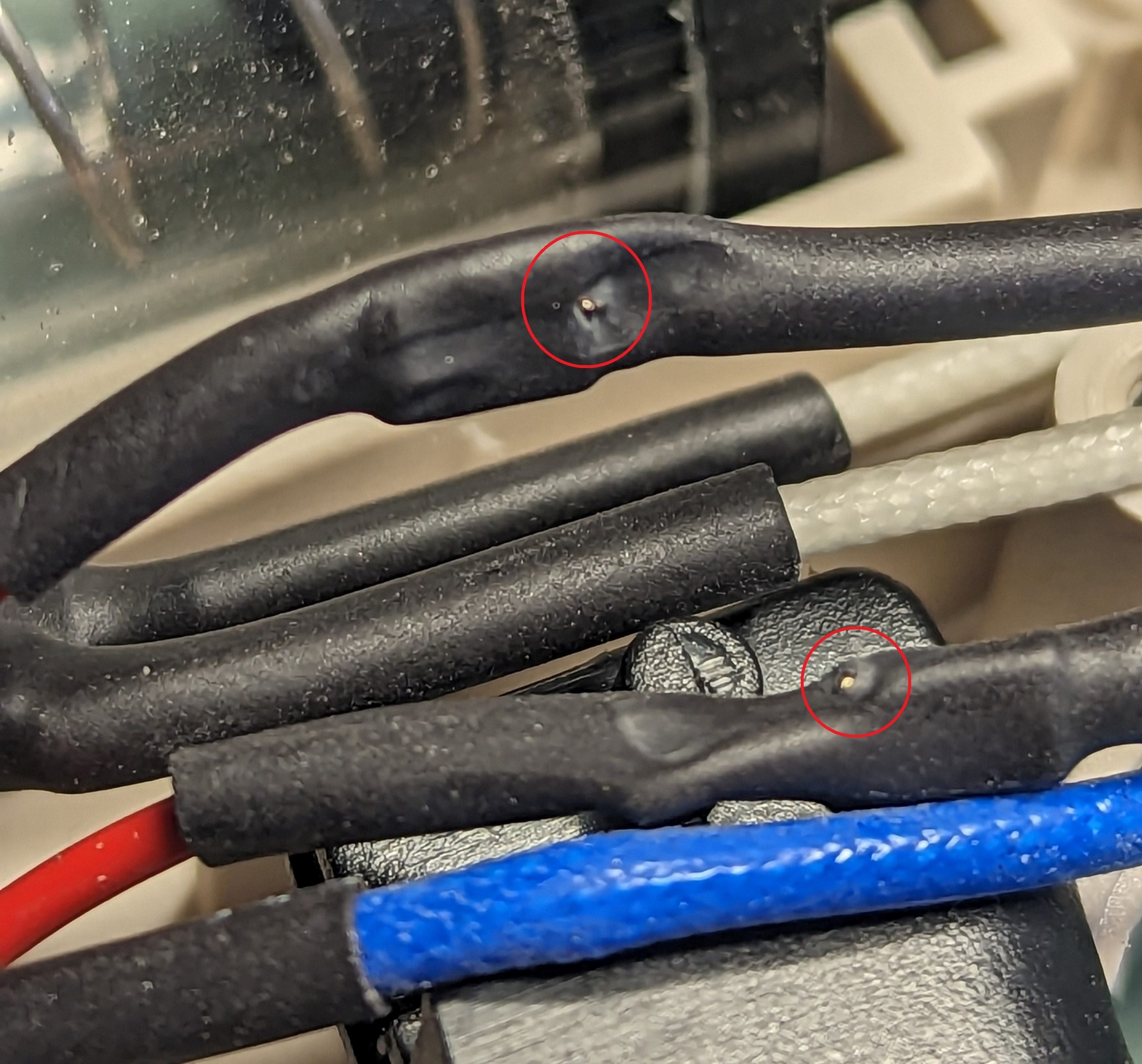
All the wires for this thing are very tightly routed and when i pulled them out I found this
Those small breaks in insulation from being sandwiched together so tight caused my issue. A little bit of insulation tape later and I was back in business