Made a few small updates since the last version. Download from the usual page.
Enjoy

Made a few small updates since the last version. Download from the usual page.
Enjoy
Please note that there are multiple contributors to this site and each has their own individual views and opinions and they are NOT necessarily the views and opinions of other contributors.
Each persons work shown on here is their own.
The site has now been switched to use SSL. Hopefully this works for others and not just myself.
Thanks
For Atari 800XL, 800XLF, 65XE and 600XL 64kb home computers.
Diagnostic program – previews
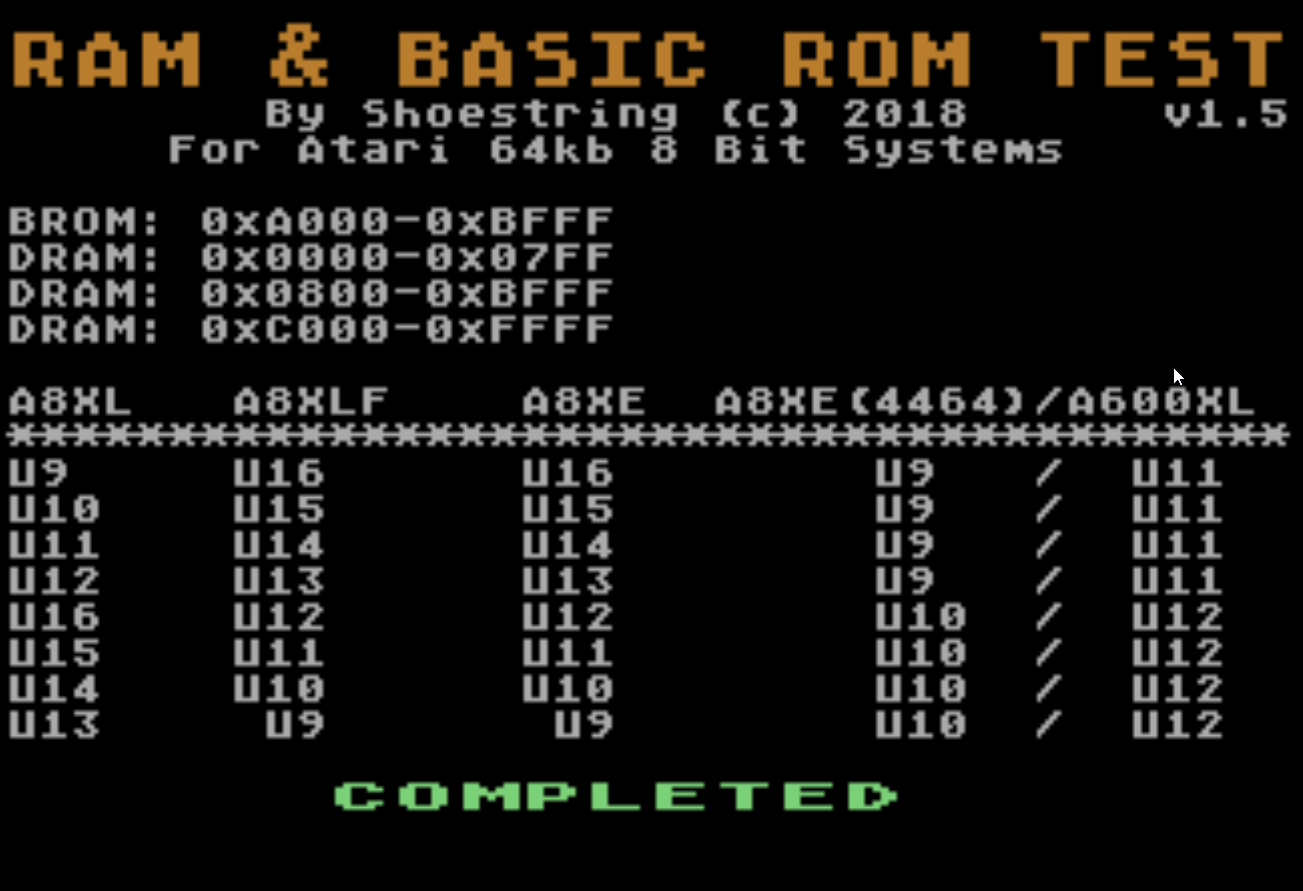
This program installs in the OS ROM socket and is used as a means for testing the DRAM and the Atari Basic ROM. If you have some spare 27c128s lying around then this can easily be installed without an adapter in any Atari 8 bit.
When the program first fires up you’ll see a black screen & hear an annoying sound as the data is being written to the first 2kb of DRAM, this is intentional and to let you know that the program is busy writing data and evaluating it. The first chunk of memory is critical to test as this contains page zero and work ram used for assembler programs accessing shadow registers..etc
Memory test algorithms used
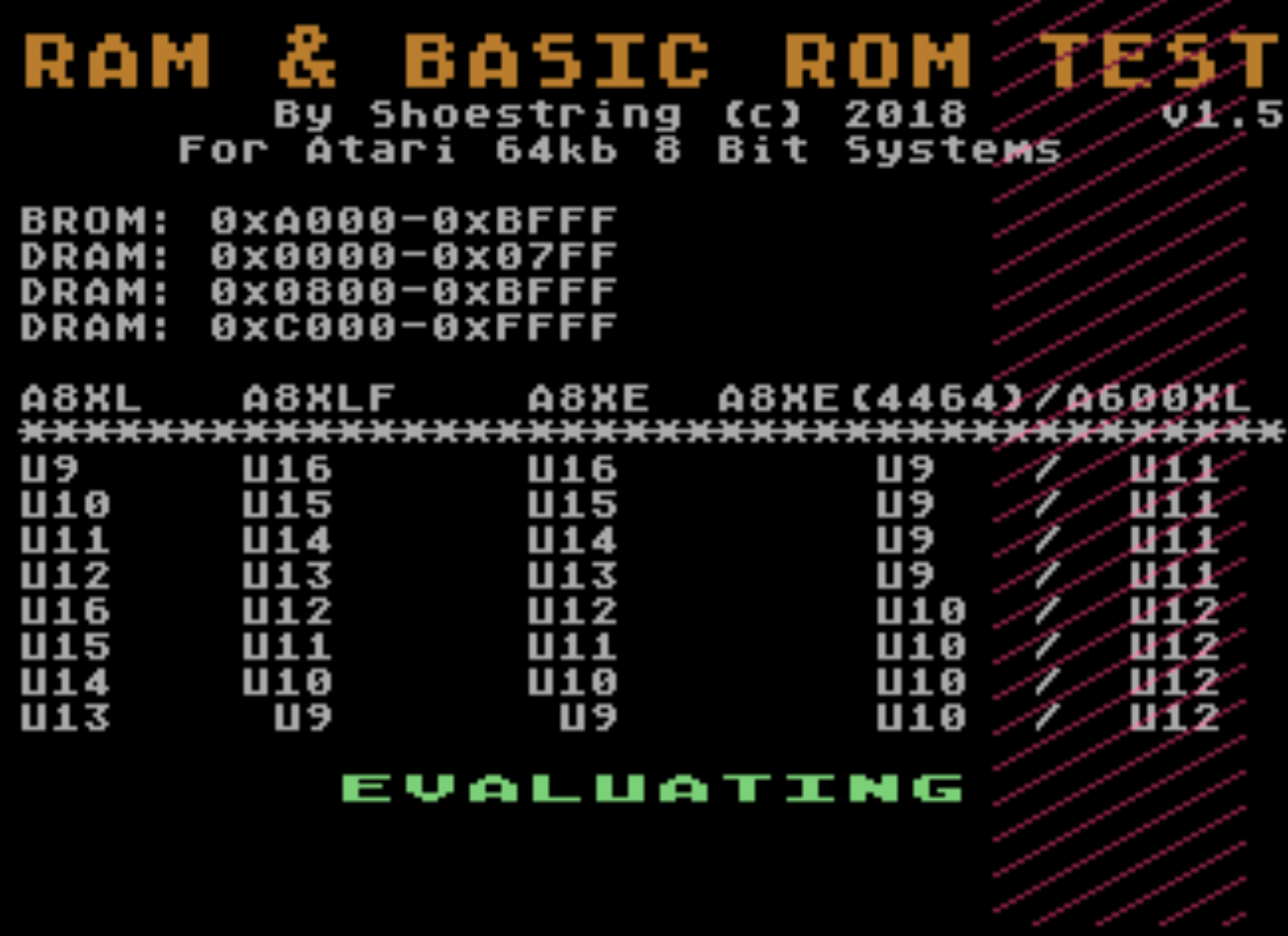
Example of walking 1 bit pattern evaluation
This writes the bit pattern directly to PMG address space which is visible on the right hand side of the screen in red.
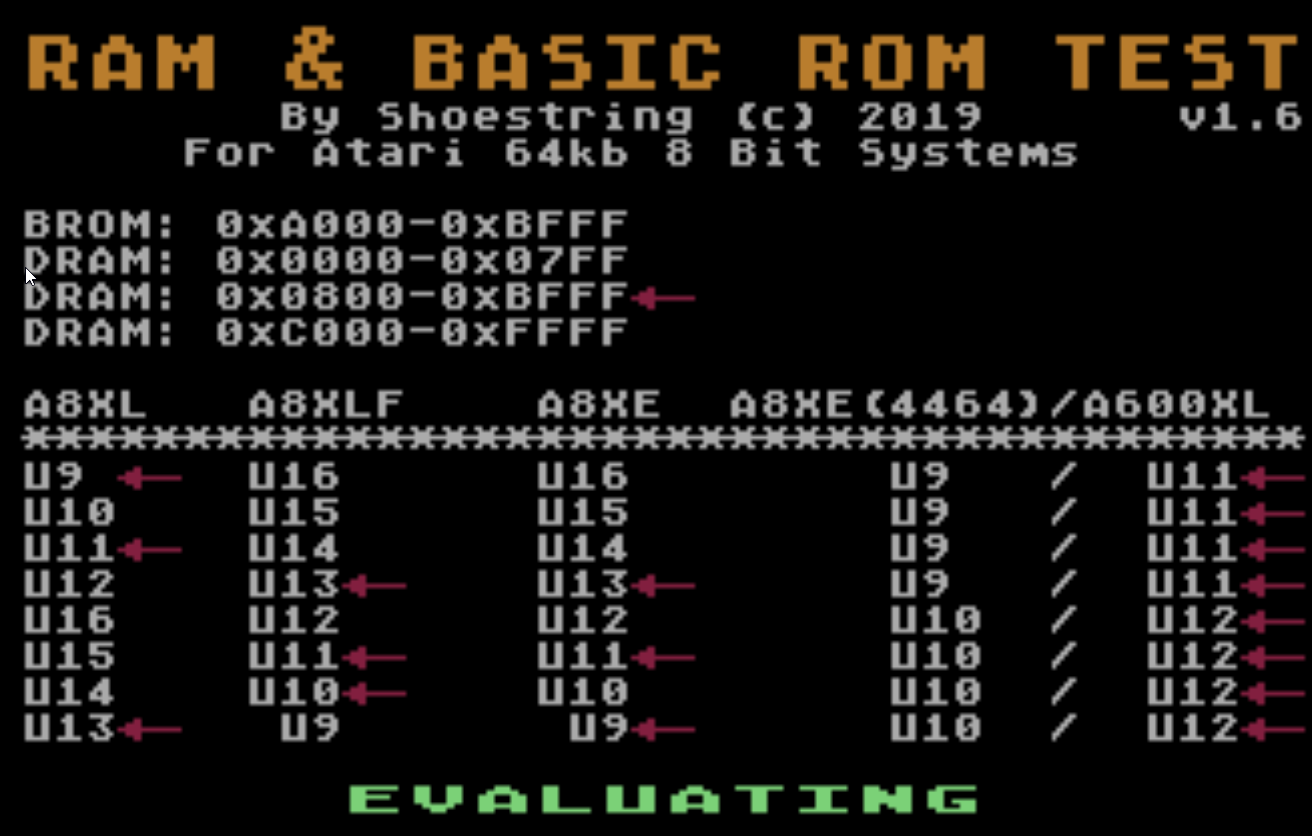
Bad ram detected in the 0x800 to 0xBffff memory region ( the arrow indicates a bad data bit was read back )
What it does
Note: This does note evaluate the memory underneath the I/O ( 0xd000 – 0xd7ff ). As there is no possible way ( that I know of ) to access it like you can in the Commodore 64 via bank-switching. Programs do not utilise this area of memory anyway.
Pre calculated Basic ROM checksums 16 bit [ sum of bytes ]
Advantages of using the ROM
Note – Chips that get hot to the touch including DRAM chips indicate an internal short. This should be addressed prior to using this diagnostic tool. +5 voltages below 4.75v will cause instability and unpredictable results. First remove the suspected chip from the machine then power the machine on and confirm no other chips are getting hot to the touch before installing the replacement chip, this is to prevent the possibility of damaging the replacement chip, confirm no short present by checking the +5v reading at one of the chips.
Do not use this diagnostic tool if you have not verified the operation of the power supply.
Limitations
To Do – In future version.
What I probably won’t do
Download
Download link 1: a8diag1-6.rom
Download link 2: a8diag1-6.rom
DRAM configuration of 600xl
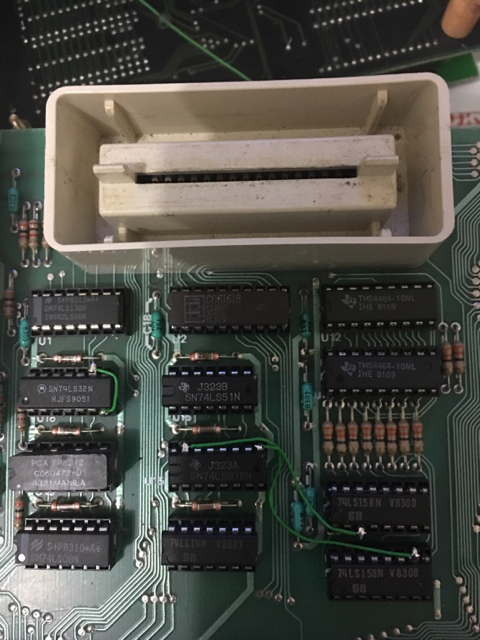
This tool is compatible with the following DRAM configuration in the 600XL which requires two 4464s installed in the original sockets with 3 additional wires. See following link for instructions. If you use a 3rd party RAM expansion board, then chances are it will have 8 x 4164 1 bit DRAMs. Whilst you can certainly check the integrity of the RAM on the board using this program, you’ll most likely need to identify the bad chips yourself.
This is the cleanest method in my opinion as it does not require soldering any wires to the board and is easily reversible.
Today I’ve uploaded the latest version on my BINman software to v4.5.0
The main addition here is the inclusion of Fluke 9010 signatures to the checksum area.
Not only does it have support for the 8 bit signatures it also supports the 16 bit signatures.
For 16 bit signatures, it will only support single files so if your hardware has the files across 2 EPROM’s then these will need interleaved or whatever is required to merge them.
Enjoy