Splatterhouse repair log #4

 PCB Repair Logs  Comments Off on Splatterhouse repair log #4
May 262016
 

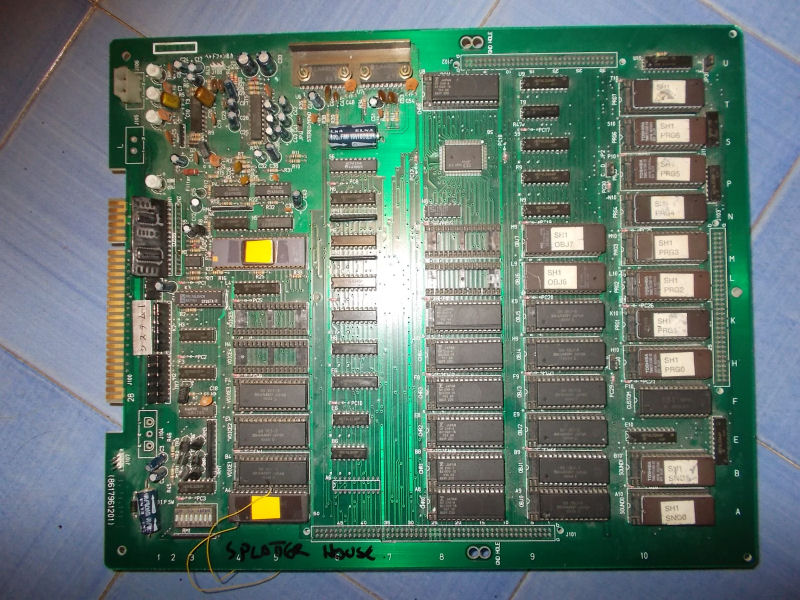
I got from New Zealand this genuine Splatterhouse PCB for a repair:

Splatterhouse_PCB

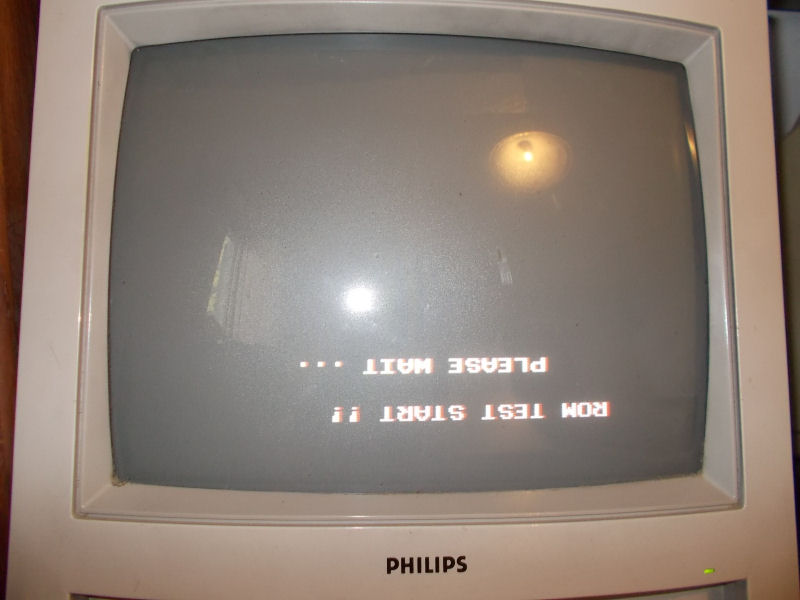
Upon boot the board was stuck on a “ROM TEST START !! PLEASE WAIT…” message displayed upside down :

issue

From my past experience I know for sure this issue is caused by a bad ’64A1′ custom replaceable with a programmed Hitachi HD63701 MCU (plus a patched ‘VOICE0′ ROM in order to handle two custom opcodes of the ’64A1’)  following this procedure:

Namco System 1 custom ’64A1′ replacement

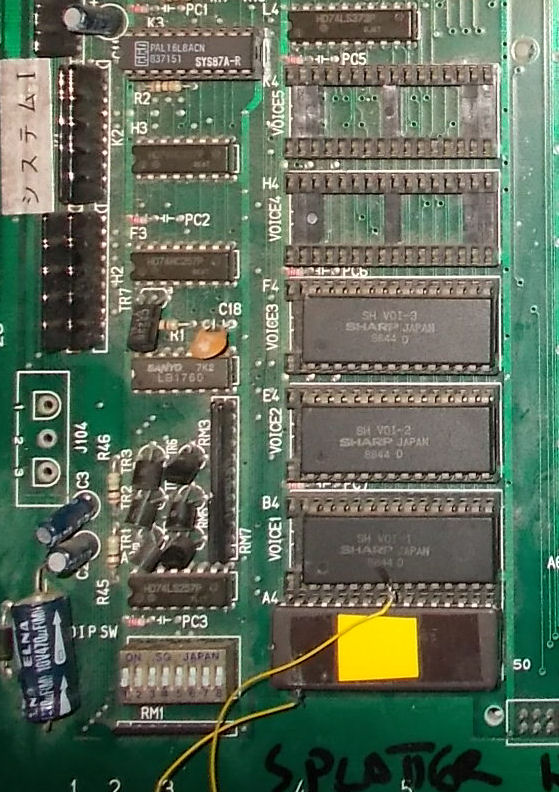
But in this case, as you can see from the above picture of the board,  the owner already replaced the ’64A1′ (and at same time  patched the ‘VOICE0′ ROMs using an hacked 1Mbit JEDEC EPROM in place of a non-JEDEC one ) and this didn’t fix the issue.For first I reverted the modification the and reinstalled the original custom ’64A1’.With this configuration the board successfully booted into game although some sound samples were bad.This lead me to think that there could be some problem is the data bus of the VOICE ROMs which prevented the HD63701 MCU to correctly read the patched data causing the missing boot. :

VOICE_ROMS

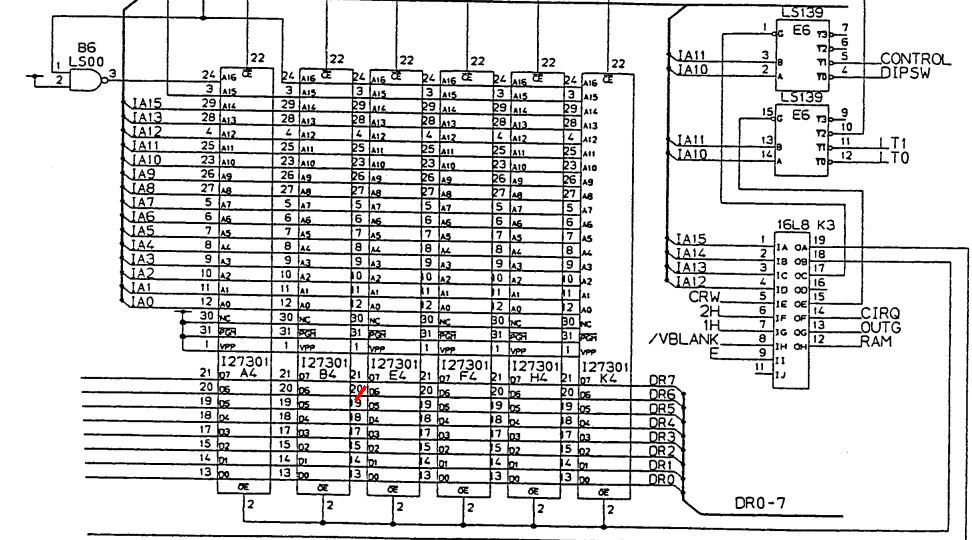
So, assisted by schematics, I went to check the involved circuit and found that pin 20 (data line D6) of the VOICE ROMs (Splatterhouse use only four of them to store samples) was not daisy-chained as it should have been:

VOICE_ROM_DATA_BUS

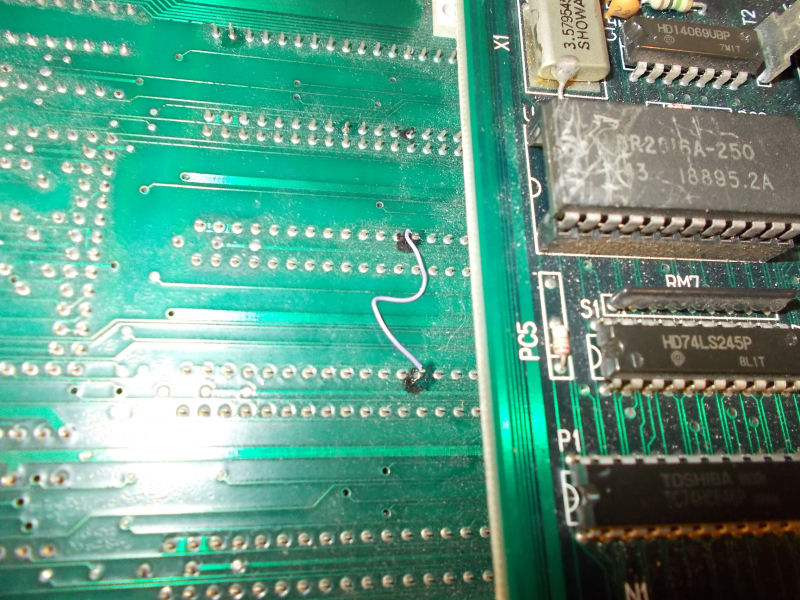
In the above snippet of schematics you can see (red mark) where extactly trace was interrupted.I simply used a bit of AWG30 wire to restore comnection:

patched_PIN20_VOICE_ROMS

This fixed completely the game using both the original ’64A1′ custom and the HD63701 MCU.End of job.

 Posted by at 8:19 pm

Irem M72 PAL dumps update

 PAL Updates  Comments Off on Irem M72 PAL dumps update
May 232016
 

Our member Corrado Tomaselli sent in dumps of some PALs from Irem M72 boards :

  • R-Type
  • Gallop
  • Dragon Breed
  • Ninja Spirit

Ninja Spirit dump was already present on database and marked as tested, R-type one was too but untested so this new one will replace it.The other two were undumped.The PLDs are located on ROM board (the top one) and are specific from game to game.

Dumps have been successfully tested on GAL16V8 targeting device.Thanks to Corrado for his contribution.

 Posted by at 8:45 pm

Sharp SF-1 (SNES TV) repair log #2

 Console Repair Logs, Repair Logs  Comments Off on Sharp SF-1 (SNES TV) repair log #2
May 222016
 

The 14″ TV is up now.
This one was a lot more involved.
Before starting on this one I had tested the previous PCB with this TV so I knew for sure the TV part was operating fully.
sf1-repair

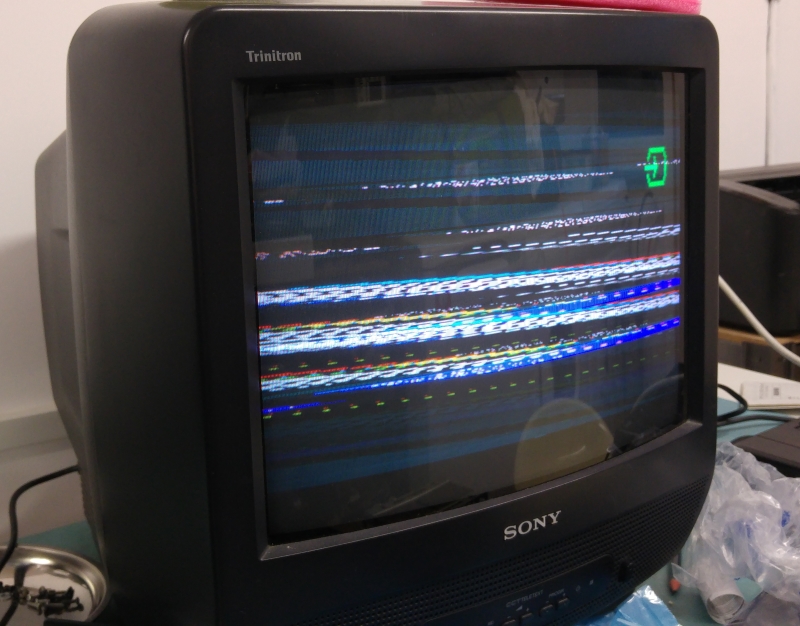
When powering this up I got no audio or video, just a black screen. Using the external A/V output also gave me nothing.
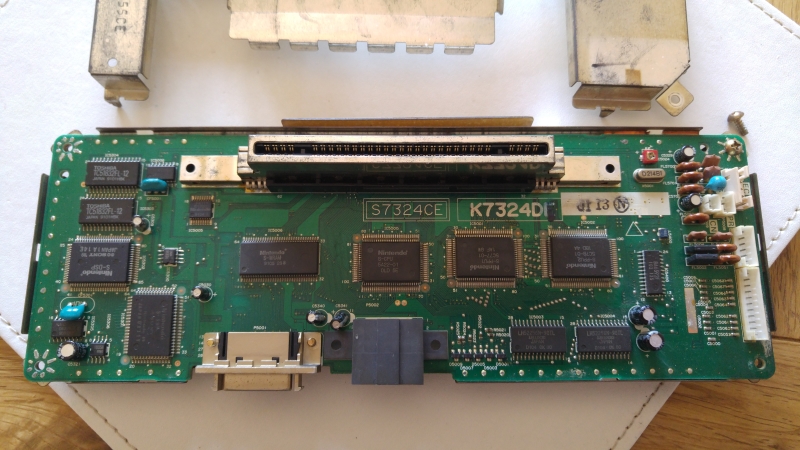
I couldn’t find anything obvious visually on the PCB itself.
Ive read a lot in the past about SNES repairs and the CPU’s seem to be a weak point. I started prodding around the CPU with the scope and even though all the voltages and clocks looked good I could see any activity.
I had a known working spare SNES which I opted to sacrifice for parts.
sf1-pcbmark

I replaced the CPU and once again checked for signals. This time I had life but it gave up after a few seconds and still didn’t give me any output. This cycle was repeatable on resetting the machine.

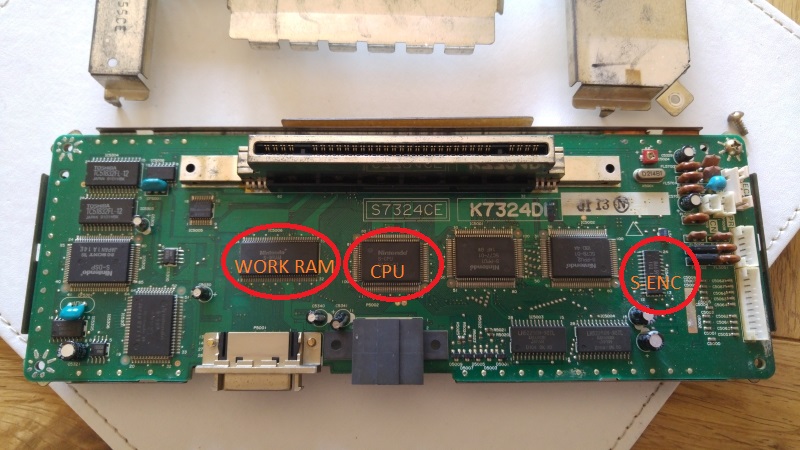
I next opted to replace the ‘S-WRAM’ (work RAM) positioned next to the CPU.
Replacing this gave me audio but no video so at least I knew the game was running which was great to hear.
At this point I tried the external A/V connector again and got a good picture.

Probing the ‘S-Enc’ chip yielded no outputs at all despite all inputs being as expected. I replaced this and everything came up good. Time to reassemble and reclaim some bench space.
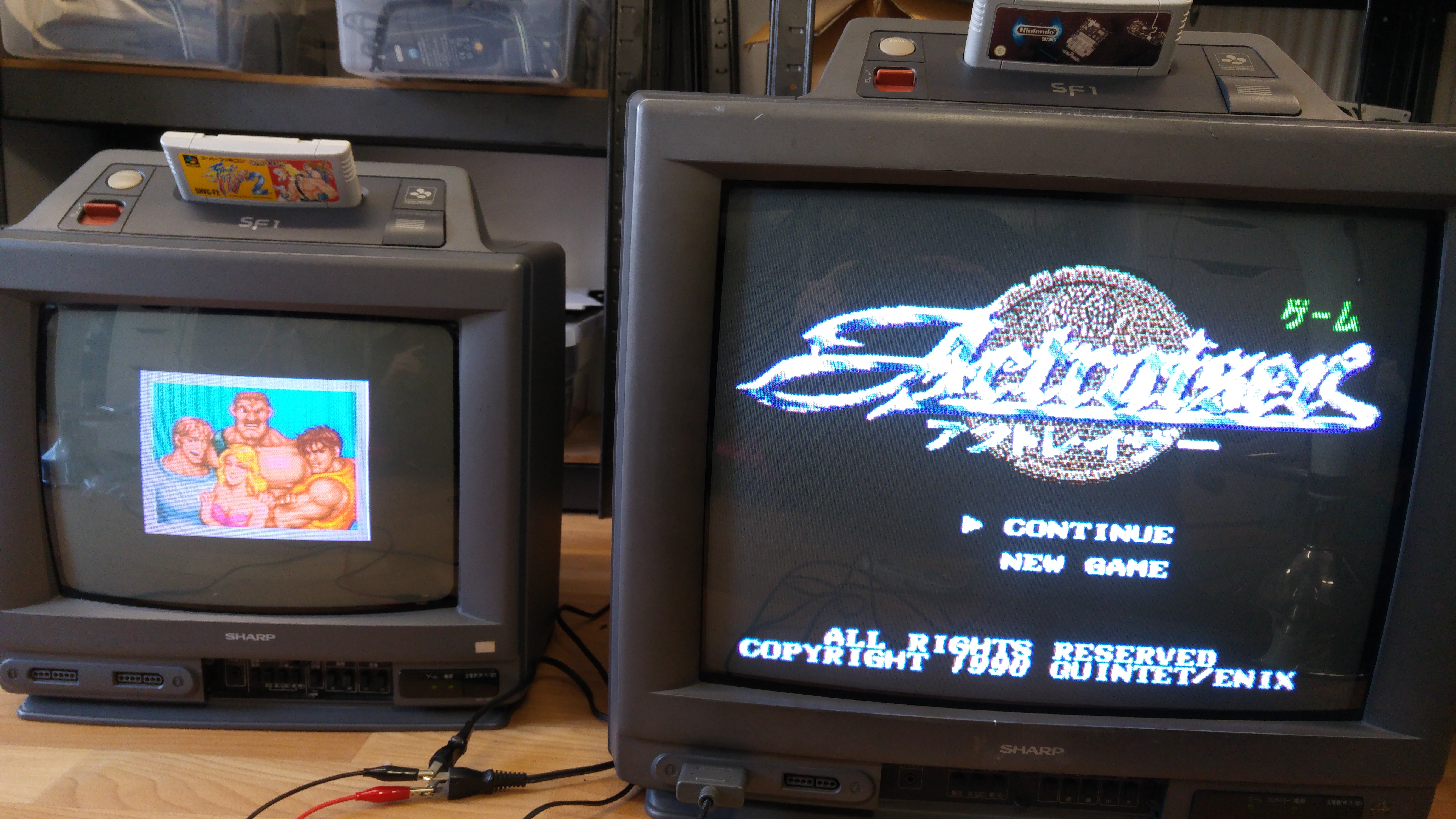
Thats both of these rare units fixed up.

sf1-pair

 Posted by at 10:21 am
May 212016
 

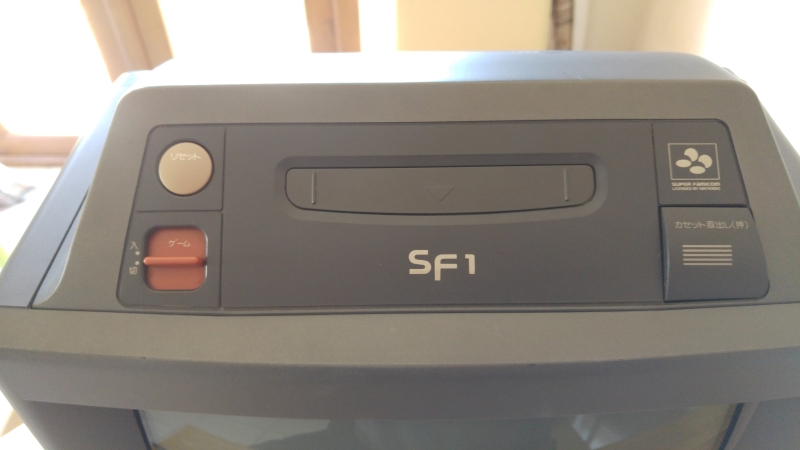
A couple of friends were looking to get their SF-1 SNES TV’s repaired. Not one for letting such gems go to ruin I offered to try and help out.
There were two units in need of repair, a 14″ and a 21″.
sf1-top

This log will focus on the 21″ version first.

On power up with a game fitted I got audio and a very faint greyed out picture.
I had been given an RGB scart cable with these so as they have the standard A/V output port on them I thought I’d give that a go.
I got this
sf1-sync

As you can see the sync signal is off but I could see a nice colour picture. This gave me initial hope that the PPU’s were not to blame for the grey faint picture.
Taking this unit apart was a bit of a pain with the SNES part being sandwiched in at the top but I got it out and looked for anything obvious.
sf1-pcb

(Note that this PCB image is actually from the 14″ version. The 21″ version has a very similar PCB with only the connector location being located differently. I forgot to take a picture of that one.)

There was nothing obvious so start looking at the missing sync signal first.
The answer was fairly straight forward. The RGB cable I have here uses the composite signal for its sync. The SF-1 does not seem to output a composite signal at all instead it uses the combined HV sync signal on pin 3. Hooking this up instead gave me a nice picture on my test monitor which confirmed the SNES was working great.
So whats happened to my picture on the actual TV unit?
It turns out the SNES outputs separate Luma and Chroma signals to the TV for its picture and not RGB like we initially thought.
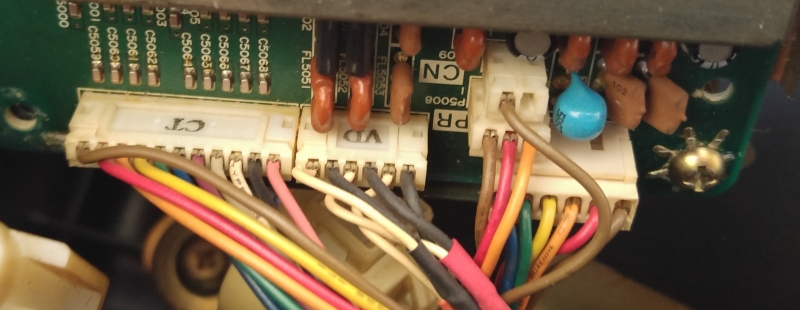
sf1-connectors

The connector marked ‘VD’ is the video signals. The black wires are all grounds and the white wires are signal. One of the wires however is the audio output. So there is Luma, Chroma and mono audio on this connector.

Now I know the signal isn’t RGB I can pretty much assume that the ‘S-ENC’ (BA6952F) is used to generate the signals i’m missing.
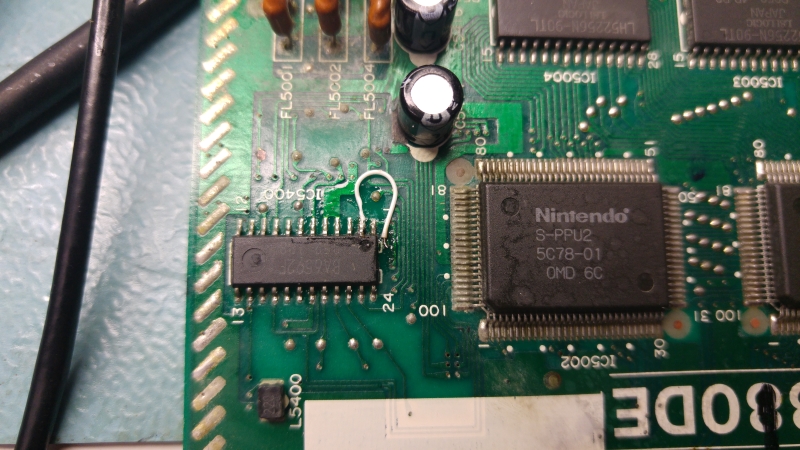
Using the scope I couldn’t find any valid signals coming from the chip. In my haste I was about to write the chip off but as the output signals were really weird I traced all of the pins. I found the GND on pin 2 wasn’t connected at all and it should have been. I tried reflowing the pin but still no connected so I added a jumper wire to the GND point next to it.
20160518_205235

I was a little nervous about patching it as if the original track (that ran under the chip) had burnt out then what had happened to do that? It could have been a manufacturing defect, Ive seen a couple of those in my time but ground connections are generally quite big compared to signal traces. I didn’t want to remove the whole chip just to check for a burnt trace so I just check resistance between GND and VCC. It looked fine so I powered up to test.
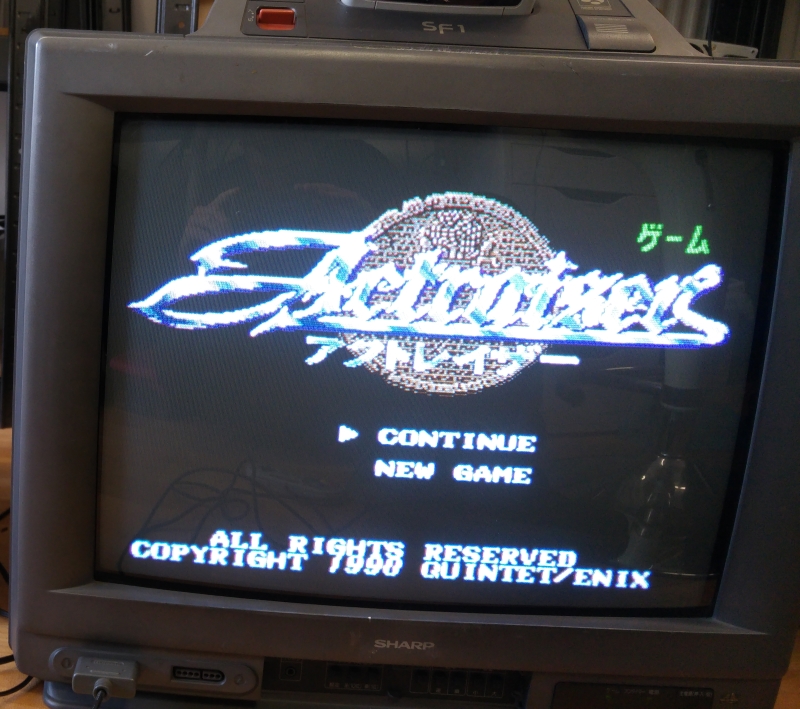
21picture

An absolutely perfect picture! Seriously this picture is really good quality.
I tested all the controls and they seem to work fine too so time to box this up.

 Posted by at 8:18 pm

New PAL dumps added

 PAL Updates  Comments Off on New PAL dumps added
May 192016
 

Today we have some new PAL dumps.

Andrew Ivanov sent in dumps from Mortal Kombat and Mortal Kombat II  Midway T-Unit boards.Dump from Mortal Kombat  is proven to be working also on NBA Jam board.Thanks to him for this contribution.

I dumped the PAL from an original Elevator Action PCB.Device (a PAL16L8) is marked ‘WW15’  and located @IC24 and should be present on all games that run on Taito SJ system (Jungle Hunt, Alpine Ski, Front Line to name few)

 Posted by at 10:24 pm