ROM dumping and checking

 Guides  Comments Off on ROM dumping and checking
May 292016
 

There has been a fair bit of discussion going on in the background recently about how is best to dump ROM’s from a PCB.
This has mainly been centered around dumping with the intent of submitting them for inclusion into MAME but this still applies if you are dumping for your own reasons too.

Obviously the first thing that you need is an EPROM programmer of some kind. The selection available is massive and not really a topic this post will delve into too much.
I myself have 3 programmers available to use.
My main workhorse is a Dataman 48pro2. Its been fantastic ever since I bought it and the support is top notch too. The downside of this programmer is the cost.
My second programmer is a cheap generic Chinese programmer. The software is not too great and the English translation isn’t all that great either but it does the job nicely when my main programmer complains about voltages being out of spec or whatever.
My last programmer is a Needham EMP-20 (actually have two of these). I was given these from a local company that was having a clear out of their old unused equipment. They are really good but their downside is they are parallel port only and the software is DOS based. Apart from that they both work well.

So how do we dump ROM’s?
At first glance we think it isn’t much more than removing an EPROM from a PCB, fitting it into the programmer socket, selecting the correct device and clicking ‘READ’ in the software.
A lot of the time this is fine but how do we do our best to know that the dump was good? What if one of those old thin crusty legs on the EPROM doesn’t make a good connection throughout the read?
The result of the read under these circumstances will be, quite simply put, a useless dump of that EPROM.
Lets look at this a bit more. Say you are dumping with the view of submitting to MAME. You dump the ROM(s), bundle it up in a zip file and send it off.
Then one of the developers takes the time to add it to the source code and do some testing. Now lets say the game doesn’t work or some of the graphics are messed up.
In some circumstances, say for instance the game was a prototype or something, that developer or developers starts looking for errors either in ROM dumps or the emulation itself. Before you know it he/she has invested a few hours of their time.

The other scenario. You dump the EPROM for your own purposes. Some days, weeks, months or years down the line you need to program yourself a new EPROM because the old one has died or suffered from bitrot. You program it up and fit it but it doesn’t work. Is there something else wrong with your PCB? But what if you just didn’t dump it correctly in the first place and you never realised. You never made the dump public so any potential testers out there couldn’t even do the testing on your behalf and notify you. Congratulations, you’ve now got a useless piece of electronics on your hands.

Either way your dump was bad but we could have potentially avoided this whole mess by carrying out some really easy checks. Lets look at it.
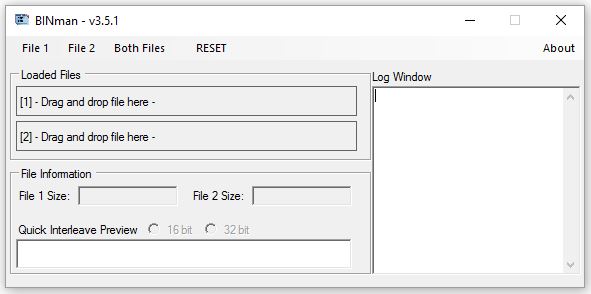
When dumping a ROM we want to be extra sure that every time we read the device we get the same data. Every programmer I’ve ever used will display a checksum of the data dumped (although YMMV) like this.
checksum

If you read the device a second time and the checksum is different from the first time then we clearly have an issue but what if it’s the same every time? The data could still be bad so let’s try physically removing the device from the programmer and reinserting it then trying to read it again. Is the checksum still the same? If not then we are probably going to need to investigate further. If they are the same then how about we remove and reseat one more time just to be sure. This may sound like a waste of time but the reality of it is it only takes a few seconds for older EPROM’s to be read out and it could potentially save everyone a lot headache further down the line.

So now we have dumped the ROM (three times) and we are happy that no matter what we do or how we position it in our programmers we get the same dump each and every time. What next?
In the case of an arcade PCB let see if the dump we have compares to anything already dumped and included in MAME.
For this you will need the latest version of MAME available from MAMEDEV
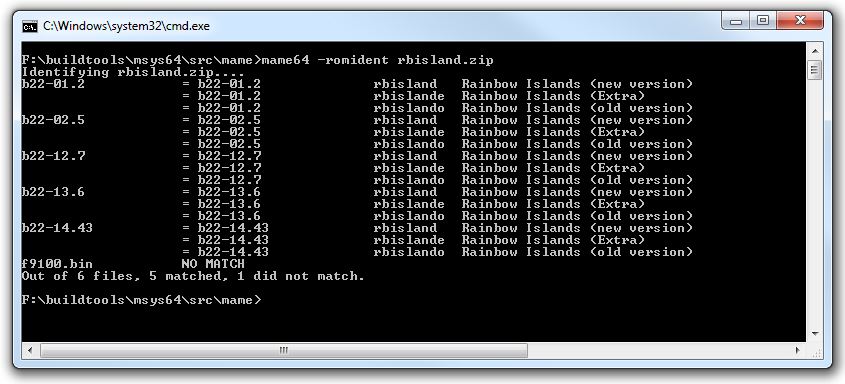
Open a command prompt at the directory where you unzipped/installed MAME and type ‘mame -romident [YOUR-ZIPPED-FILES-LOCATION]’. If you use the 64bit version then type ‘mame64 -romident [YOUR-ZIPPED-FILES-LOCATION]’ instead.

Here is an example using the rbisland romset. I’ve added a random binary file to show what happens when an undumped file is found.
romident

What this shows is each individual file within the .zip file and the filename associated with each other romset.
The “9100.bin” file is the undumped file and you can see it shows “NO MATCH”. This means that the file is unknown to MAME.

If they are all matched then nothing more needs to be done. If they aren’t a match though then we could be looking at something undumped OR we could still be looking at a bad dump.

Included in the MAME package is a tool called ‘ROMCMP.EXE’. This is another command line utility that performs a variety of checks on your files. For example it will tell you if the dump is all 0xFF bytes or if the top and bottom half of the dump are the same. It can also be used to compare your files against the files currently in MAME to see how much of the data matches.

To use this tool we need our file or files in a .ZIP file.
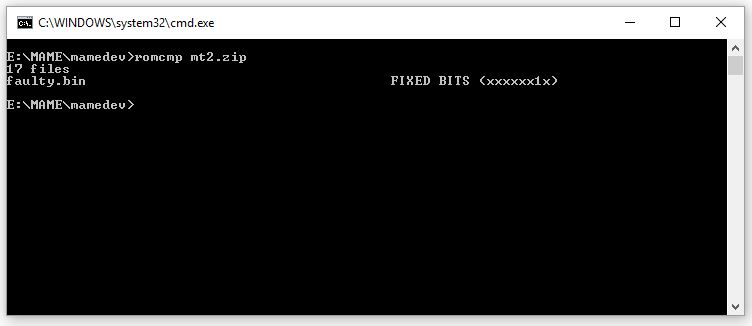
For this example I( have used the Major Title 2 romset ZIP file and have added an extra binary file which I hand made but made bit 1 (second bit) stuck on using a hex editor.
romcmp

The output is simple enough to see. It shows that bit 1 is always ‘1’.
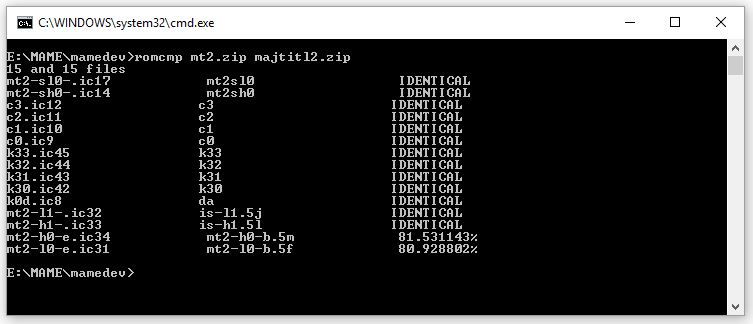
If you have dumped what you believe is a new ROM set then you can use ROMCMP to compare against an existing set.

Here I used two different sets of Major Title 2 to demonstrate.
romcmp2

You can see most files are identical but there are two that aren’t quite the same (these two are the main program ROM’s for Major Title 2). You can also see that they are both over 80% the same as each other. This is a good sign for a different revision of the same game especially as we have already done the previous checks on the ROM’s to confirm their validity as much as possible.

There may be other steps that people like to do on their ROM dumps but the above will give people, whether its yourself or an emulator developer trying to support it, a fighting chance.

 Posted by at 12:20 pm

Polar Toneohm 850 repair log

 Equipment Repair Logs  Comments Off on Polar Toneohm 850 repair log
May 282016
 

Last week I bought on Ebay an untested Polar Toneohm 850 (picture from Internet) :
For the uninitiated this is a instrument that is able to locate quickly and accurately shorts on PCBs.Device is essentially an audible milliohmmeter which, indeed, produces a tone whose frequency is inversely proportional to the resistance measured across its probes.The more you get closer to the short  and so the lower will be the resistance, the higher will be the produced tone.This is very useful when you come across a PCB with a dead short or small resistance between VCC and GND, using a normal multimeter would have no effect since you will end up to measure always same resistance values due its accuracy (most if times of 0.1 ohm ) which is too coarse.

So, I bought this kind of equipment which arrived me a couple of days ago.When I saw the package, I immediately had a bad feeling :

DSCN3315

The box was broken and, once opened, the case of the unit too:

broken

But worst , the unit didn’t power on at all, it was competely dead while the seller clearly stated (sending me also a picture)  that, although untested, instrument turned on showing numbers on display.

Since I needed this piece of equipment I opted for repairing it instead of asking for a refund and send it back.

I opened the unit and PCB was in untouched state, no sign of damage or burn components.DSCN3328

First of all I went to check voltages on the various test points, I could only measure few Millivolts.Thanks to the user ‘Fraser’ (thanks again!) on EEVblog forum I got schematics of this specific model so I could start my troubleshooting more confident.Design of the unit is quite simple : the 220VAC ( unit came with 120VAC line selected so  had to change it accordingly to my country) reaches the main transformer ‘T1’ being reduced to 9VAC then it got rectified by a couple of bridges and then regulated by a 7805 and  couple of 78L05 providing power for all the logic :

PSU_circuit

Again, I was able to measure more or less +1V on the inputs of the tree voltage regulators so problem was upstream, specifically in the main transformer (‘T1’ on schematics) :

T1_transformer

Said simply, a transformer is a device made of a primary winding  and one of more secondary windings.Windings are usually wound around very high permeability ferromagnetic cores.A varying current in the transformer’s primary winding creates a varying magnetic flux in the core which is transferred to the secondary windings by magnetic induction.

So, my problem was clearly located in the windings.I removed the transformer:

T1_removed

I went to check windings with my multimeter and none of them gave me resistance values, they were almost all opened due the shock received during shipping!But luckily they were interrupted just near the pins, see picture of primary ones for example :

primary_windings_broken

A bit of ‘surgery’ was needed using some AWG30 wire to restore all connections (part in excess of wire was cut, obviously)

primary_buildings_rebuilt

Once mounted the transformer and reassembled all the pieces, the unit came back to life fully working!

fixed

Video below shows a testing on an arcade board where a 100nF by-pass ceramic capacitor was intentionally shorted:

 Posted by at 10:43 pm

Splatterhouse repair log #4

 PCB Repair Logs  Comments Off on Splatterhouse repair log #4
May 262016
 

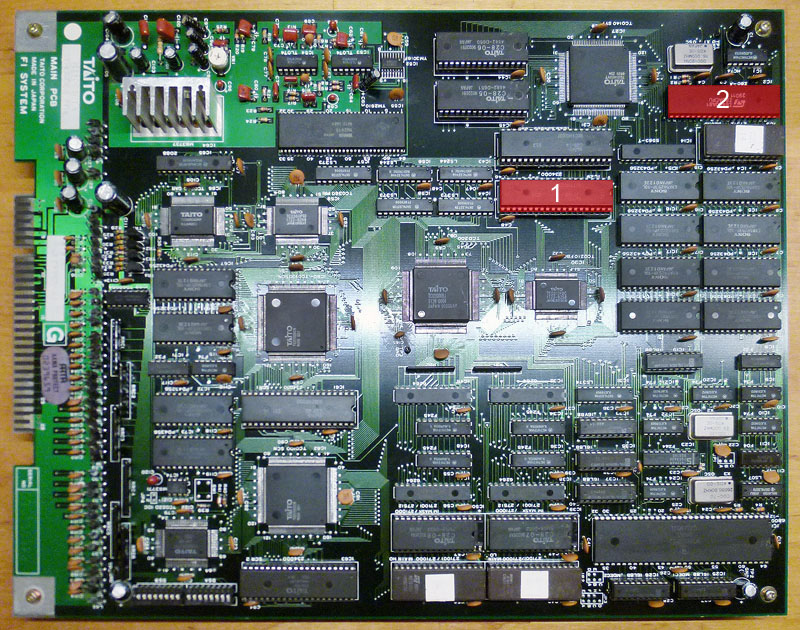
I got from New Zealand this genuine Splatterhouse PCB for a repair:

Splatterhouse_PCB

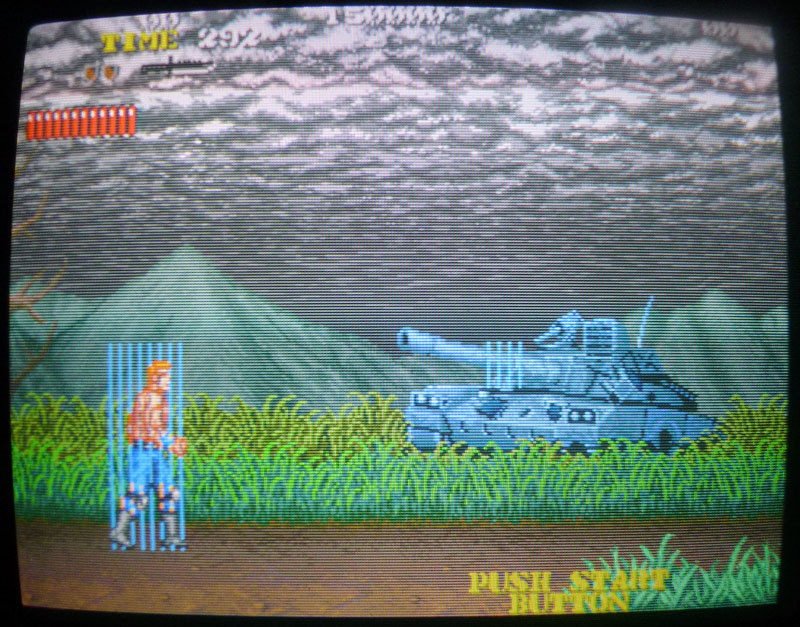
Upon boot the board was stuck on a “ROM TEST START !! PLEASE WAIT…” message displayed upside down :

issue

From my past experience I know for sure this issue is caused by a bad ’64A1′ custom replaceable with a programmed Hitachi HD63701 MCU (plus a patched ‘VOICE0′ ROM in order to handle two custom opcodes of the ’64A1’)  following this procedure:

Namco System 1 custom ’64A1′ replacement

But in this case, as you can see from the above picture of the board,  the owner already replaced the ’64A1′ (and at same time  patched the ‘VOICE0′ ROMs using an hacked 1Mbit JEDEC EPROM in place of a non-JEDEC one ) and this didn’t fix the issue.For first I reverted the modification the and reinstalled the original custom ’64A1’.With this configuration the board successfully booted into game although some sound samples were bad.This lead me to think that there could be some problem is the data bus of the VOICE ROMs which prevented the HD63701 MCU to correctly read the patched data causing the missing boot. :

VOICE_ROMS

So, assisted by schematics, I went to check the involved circuit and found that pin 20 (data line D6) of the VOICE ROMs (Splatterhouse use only four of them to store samples) was not daisy-chained as it should have been:

VOICE_ROM_DATA_BUS

In the above snippet of schematics you can see (red mark) where extactly trace was interrupted.I simply used a bit of AWG30 wire to restore comnection:

patched_PIN20_VOICE_ROMS

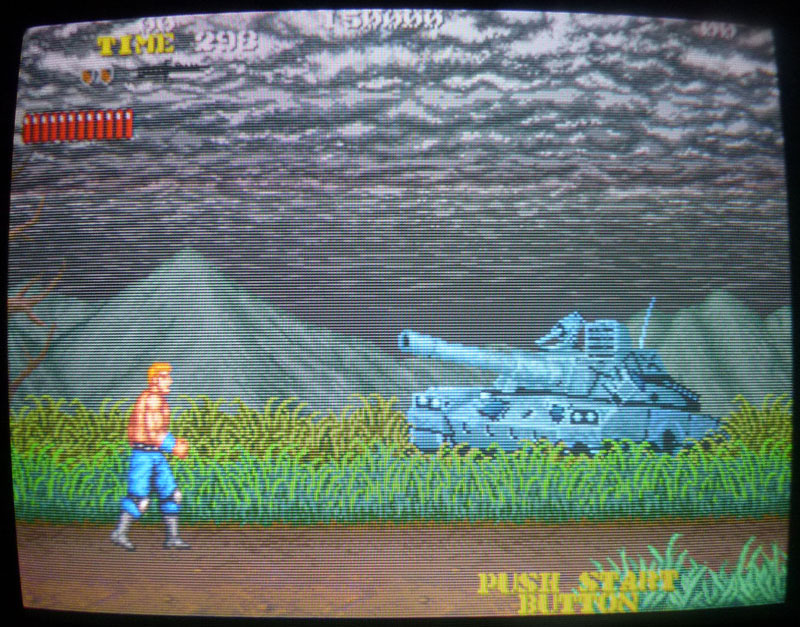
This fixed completely the game using both the original ’64A1′ custom and the HD63701 MCU.End of job.

 Posted by at 8:19 pm

Irem M72 PAL dumps update

 PAL Updates  Comments Off on Irem M72 PAL dumps update
May 232016
 

Our member Corrado Tomaselli sent in dumps of some PALs from Irem M72 boards :

  • R-Type
  • Gallop
  • Dragon Breed
  • Ninja Spirit

Ninja Spirit dump was already present on database and marked as tested, R-type one was too but untested so this new one will replace it.The other two were undumped.The PLDs are located on ROM board (the top one) and are specific from game to game.

Dumps have been successfully tested on GAL16V8 targeting device.Thanks to Corrado for his contribution.

 Posted by at 8:45 pm

Sharp SF-1 (SNES TV) repair log #2

 Console Repair Logs, Repair Logs  Comments Off on Sharp SF-1 (SNES TV) repair log #2
May 222016
 

The 14″ TV is up now.
This one was a lot more involved.
Before starting on this one I had tested the previous PCB with this TV so I knew for sure the TV part was operating fully.
sf1-repair

When powering this up I got no audio or video, just a black screen. Using the external A/V output also gave me nothing.
I couldn’t find anything obvious visually on the PCB itself.
Ive read a lot in the past about SNES repairs and the CPU’s seem to be a weak point. I started prodding around the CPU with the scope and even though all the voltages and clocks looked good I could see any activity.
I had a known working spare SNES which I opted to sacrifice for parts.
sf1-pcbmark

I replaced the CPU and once again checked for signals. This time I had life but it gave up after a few seconds and still didn’t give me any output. This cycle was repeatable on resetting the machine.

I next opted to replace the ‘S-WRAM’ (work RAM) positioned next to the CPU.
Replacing this gave me audio but no video so at least I knew the game was running which was great to hear.
At this point I tried the external A/V connector again and got a good picture.

Probing the ‘S-Enc’ chip yielded no outputs at all despite all inputs being as expected. I replaced this and everything came up good. Time to reassemble and reclaim some bench space.
Thats both of these rare units fixed up.

sf1-pair

 Posted by at 10:21 am