
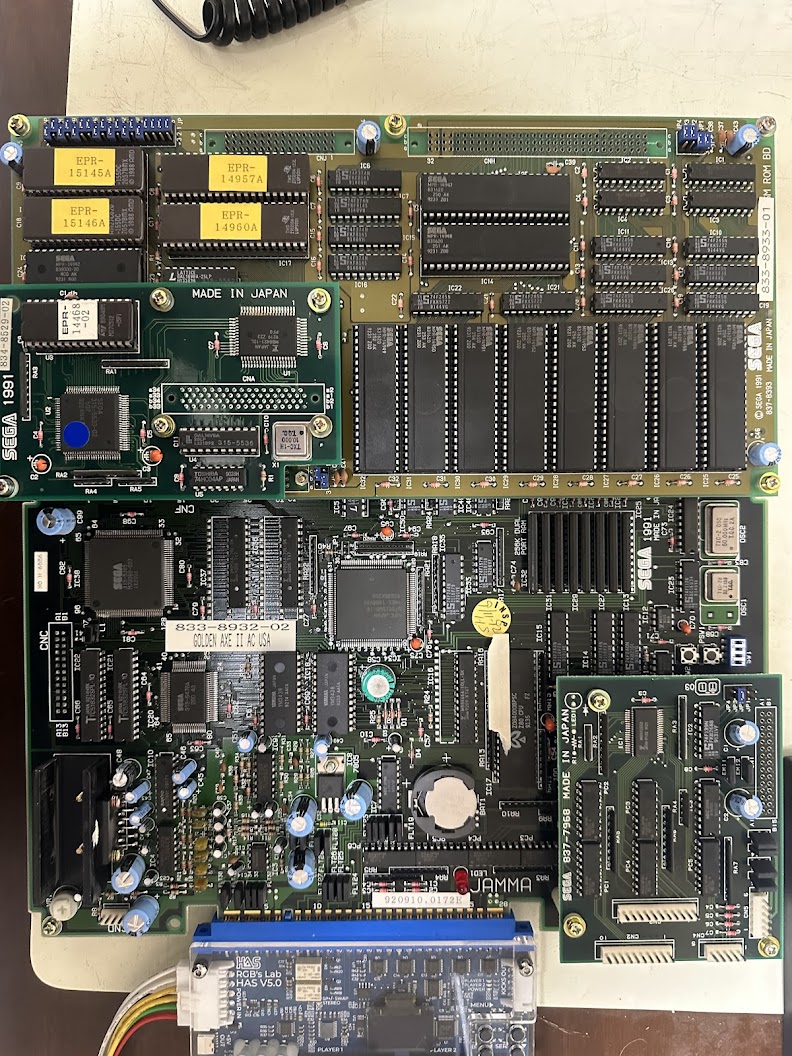
In for repair is a Sega Golden Axe II Revenge of Death Adder boardset. The board set consists of a large mainboard that handles all the logic processing, a daughterboard with the game data ROMs and another daughterboard that handles inputs for Player 3 and Player 4.
Although the boardset is in clean physical condition, it doesn’t boot up.
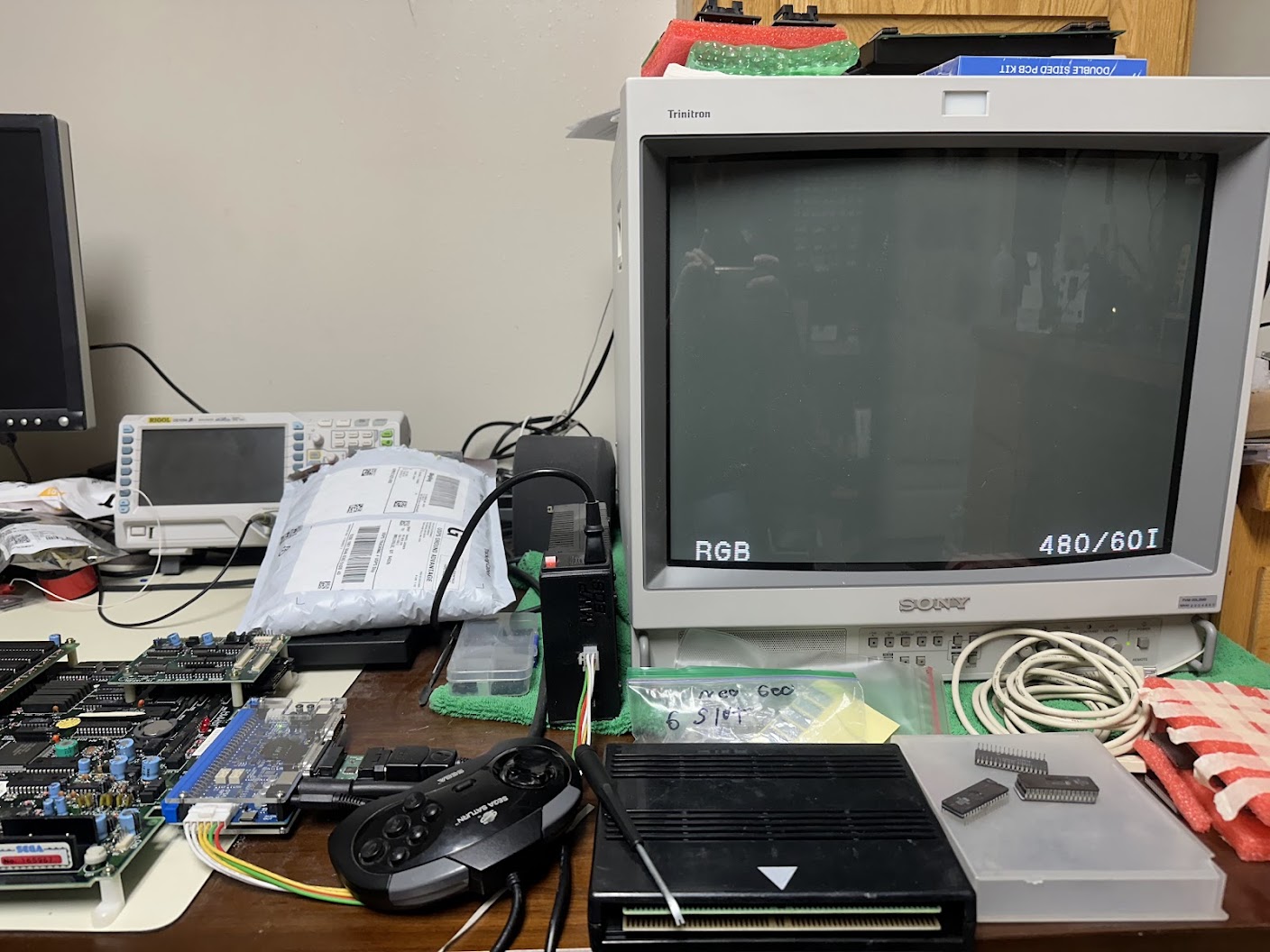
The first question with any Sega System 16, 18 or 32 game board that won’t boot up is “Has it suicided?” All three platforms used encrypted code on the CPU ROMs and a protection mechanism to decrypt the code before it runs on the Main CPU. If the protection mechanism fails then the Main CPU hangs waiting for code it can run. Sometimes the protection mechanism is battery-powered, and when the battery dies then the decryption mechanism permanently breaks – hence the term “suicide”.
In the case of Golden Axe II, the protection mechanism is this small daughterboard sitting on top of the ROM board.
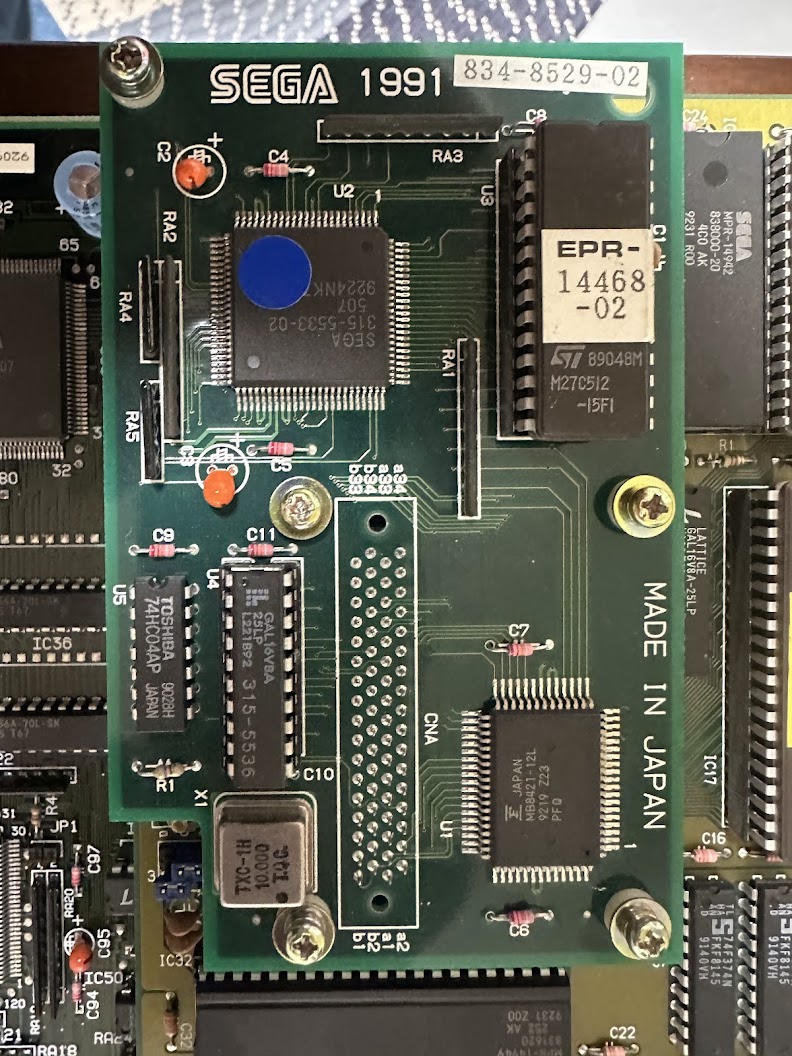
This protection board is a mini-computer by itself. The Sega 315-5533-02 is a relabeled NEC V25 CPU running at 10 mhz that executes its code from the single onboard EPROM and uses the Fujitsu RAM for processing the decryption algorithms. Here, it’s possible for either the onboard EPROM to become corrupted or the Fujitsu RAM to fail, resulting in the decryption CPU crashing and the Main CPU then hanging up waiting for incoming code it can run. At least there’s not a battery here to worry about…
Fortunately, I had a quick and easy method to determine if this Golden Axe II ROM board had suicided. I have my own fully-functional Golden Axe II board set, so I swapped the project’s ROM board over to my personal main board and powered up.
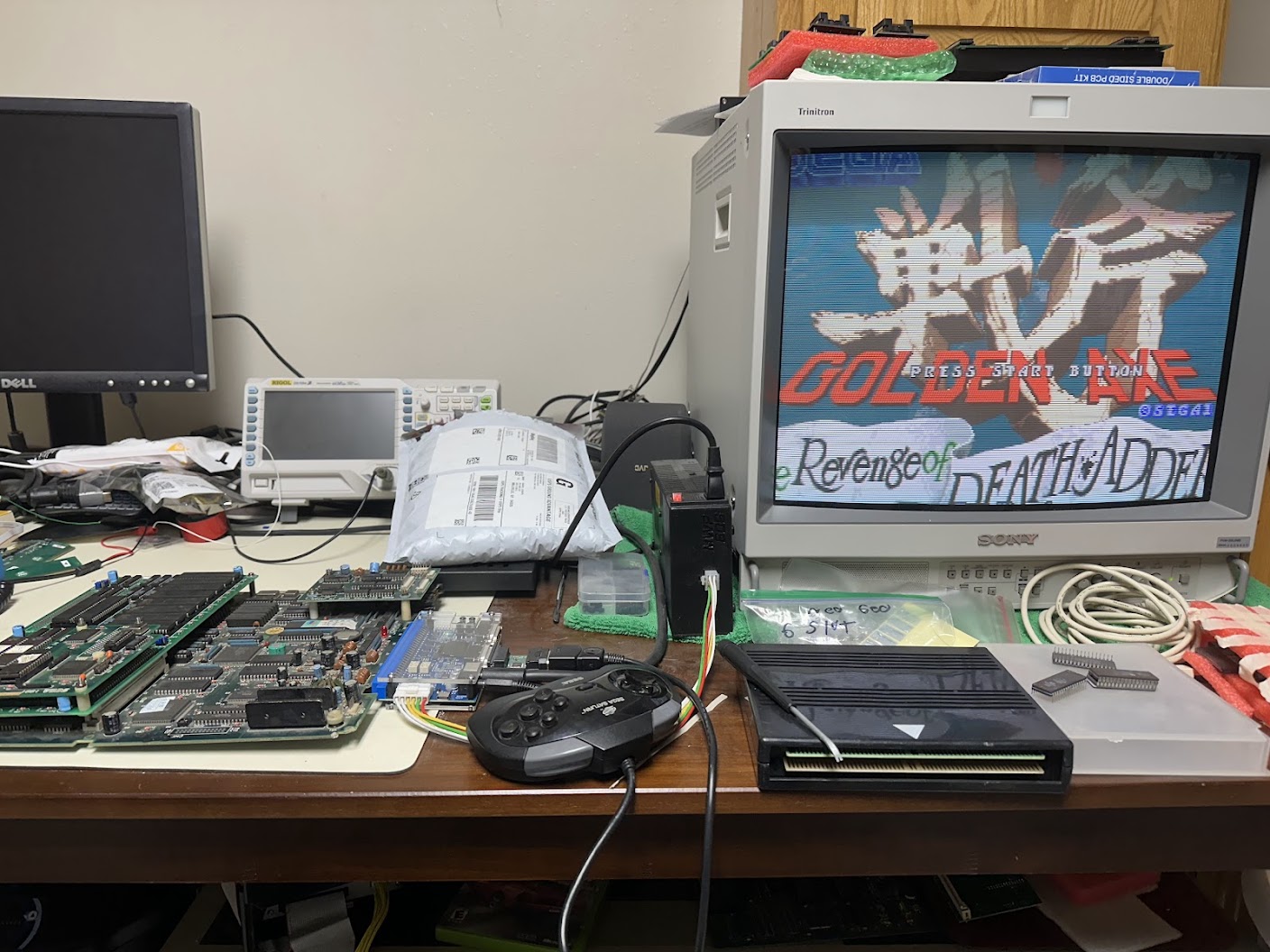
The game booted up and played perfectly. Therefore the ROM board hasn’t suicided and the problem is with the System 32 main board.
I hadn’t worked on a System 32 main board before, so I started performing some research. Specifically, I wanted to know:
- Are schematics available for this hardware?
- Are there repair logs of other technicians resolving similar issues with this hardware?
As far as schematics go, Nemesis has scanned and shared them. In order to aid SEO, I also mirrored them here. As far as repair logs go, The Guru has logs on several similar System 32 repairs. Here are some key discoveries I made from Guru’s writeups about Sega System 32 hardware when the main board doesn’t boot up:
- Reset signals originate at the TTL logic chips located at IC11 and IC12.
- Clock signals originate at the two oscillators at the bottom-middle of the board and are distributed around the board by a handful of TTL logic chips (IC23, IC24, IC34, IC39, IC52, IC53).
- The game will not boot if the NEC V60 Main CPU, Zilog Z80 Sound CPU or 315-5296 custom are nonfunctional.
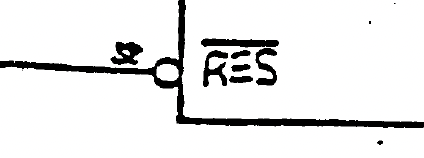
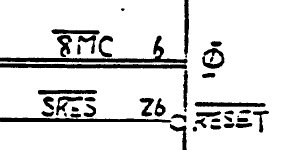
Time to dig in. I started with checking the Reset signals. The Main CPU, Sound CPU, and some of the other components on the board need to be Reset when the board starts up. There is also a “watchdog” circuit which will trigger the Reset lines and reboot the game if the watchdog detects that the game has frozen. On a logic probe or oscilloscope, the Reset pin on a CPU should initially read High at powerup, go Low briefly as the Reset circuit triggers, then return to High.
I probed the NEC V60 Main CPU Pin 52, Z80 Sound CPU Pin 26 and the outputs on the TTL logic chips at IC11 and IC12. They all showed that the Reset circuit was operating as expected.
Next, I investigated the Clock signals. Think of the Clock as a “heartbeat” that drives the processing logic on the board and keeps everything in sync. Without appropriate Clock signals, the board won’t run.
Clock signals originate from crystal oscillators. The Sega System 32 main board has two of them located in the bottom middle of the board – a 32.2169 mhz clock and a 50 mhz clock.
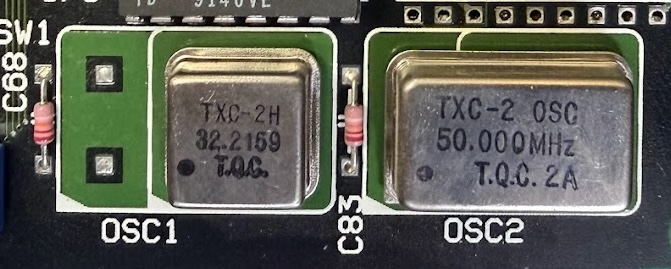
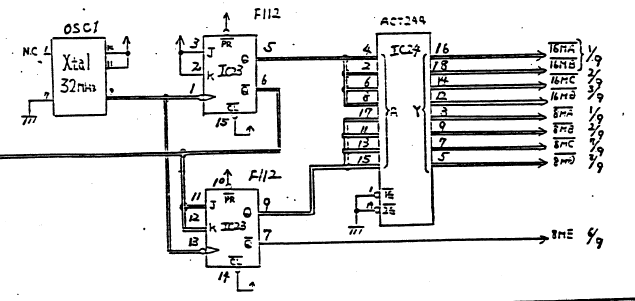
These clock signals are then distributed around the board and subdivided to lower speeds as needed by a variety of TTL logic chips. Here is the appropriate clock distribution circuits from the schematics.
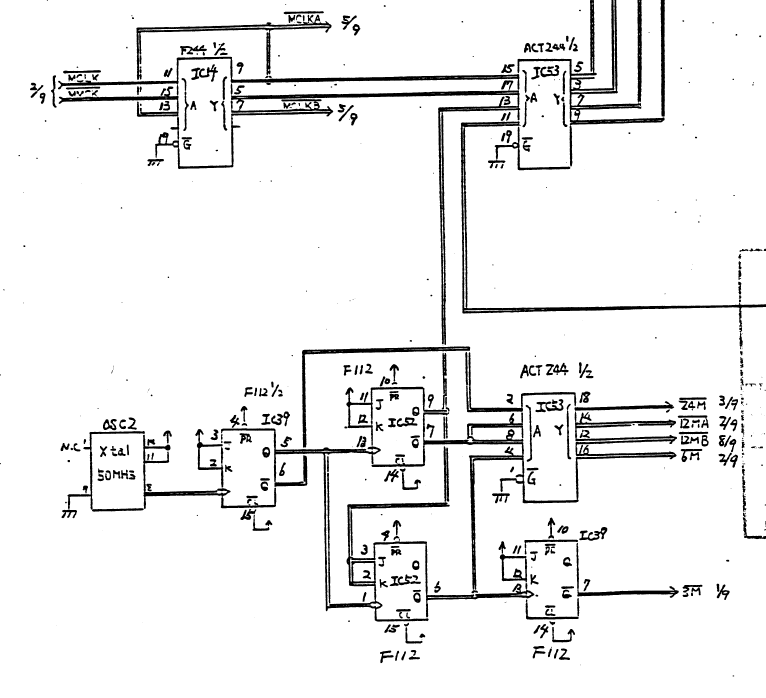
Many components need a clock signal, but I started by checking the clock input pin on the NEC V60 Main CPU first. The V60 Clock Input pin is Pin 13 and it showed the expected 16 mhz clock signal.
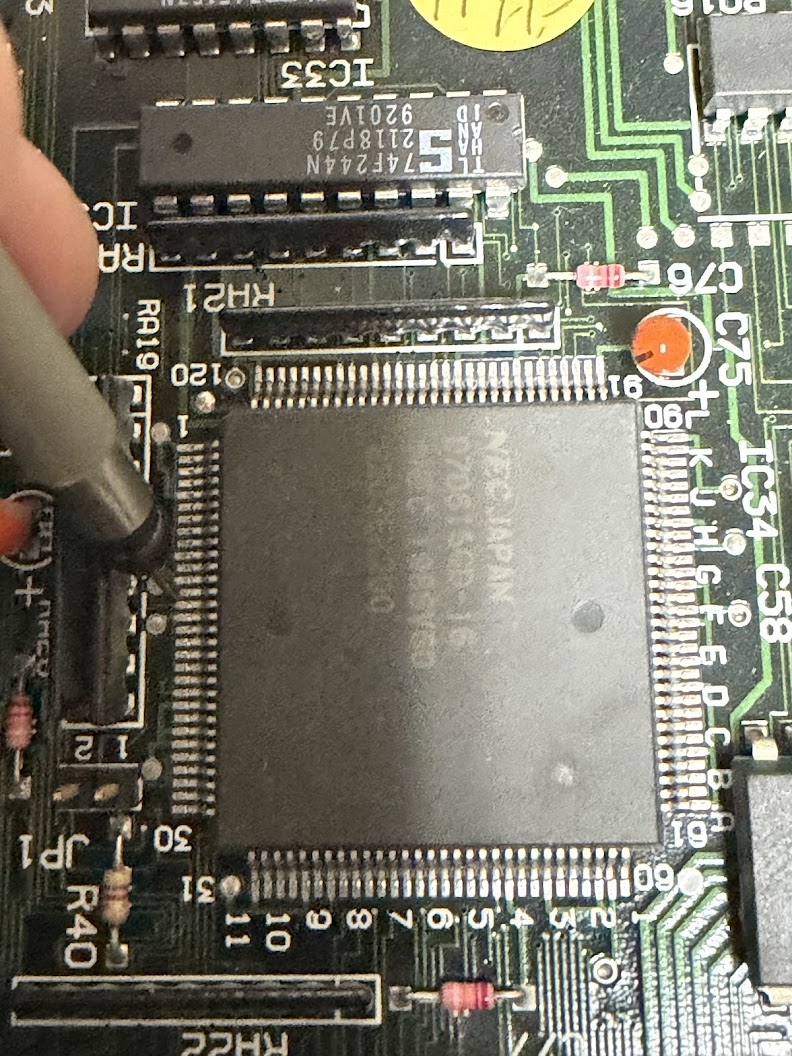
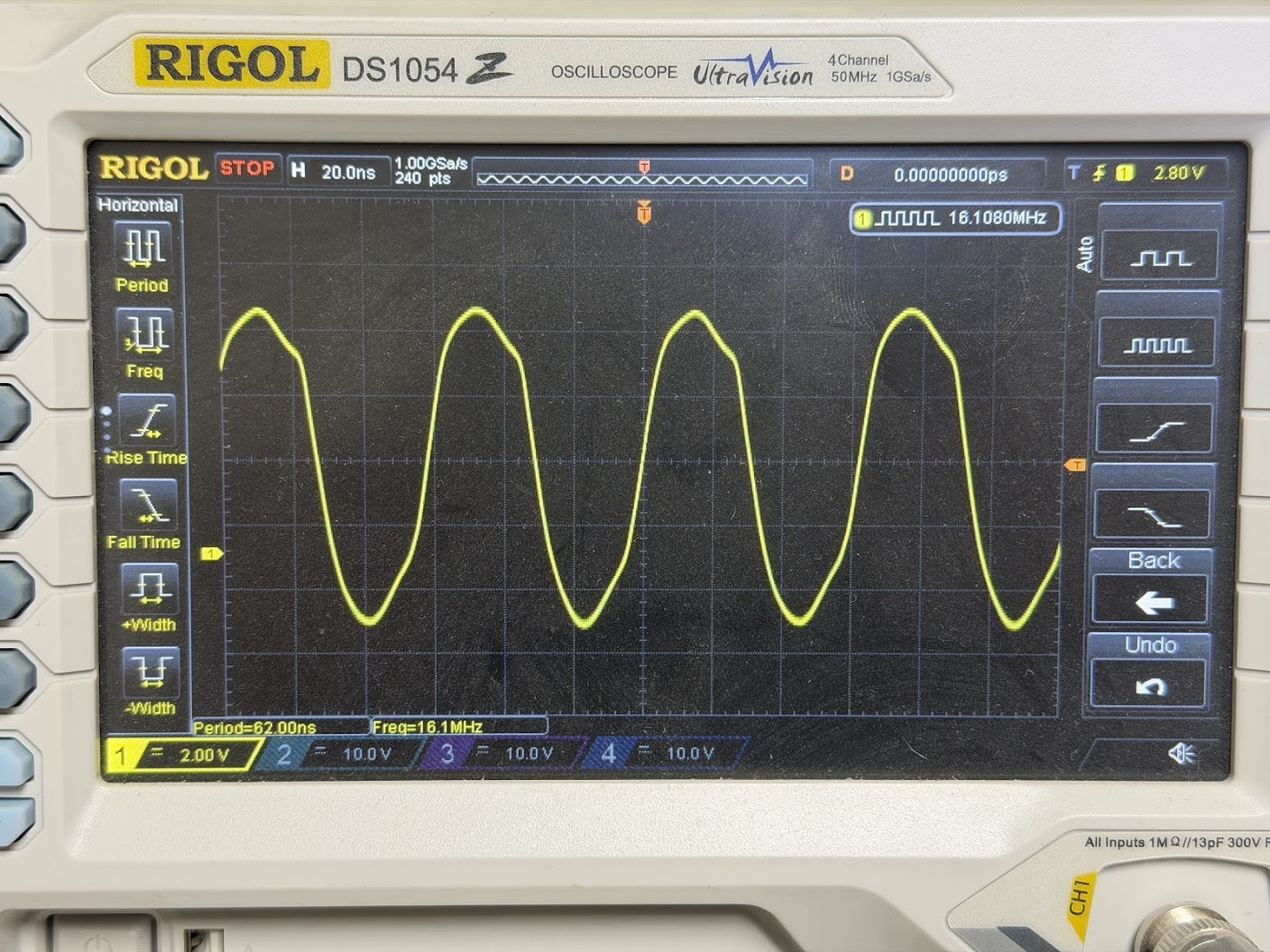
The Z80 Sound CPU clock input is Pin 6 and its signal looked awful.
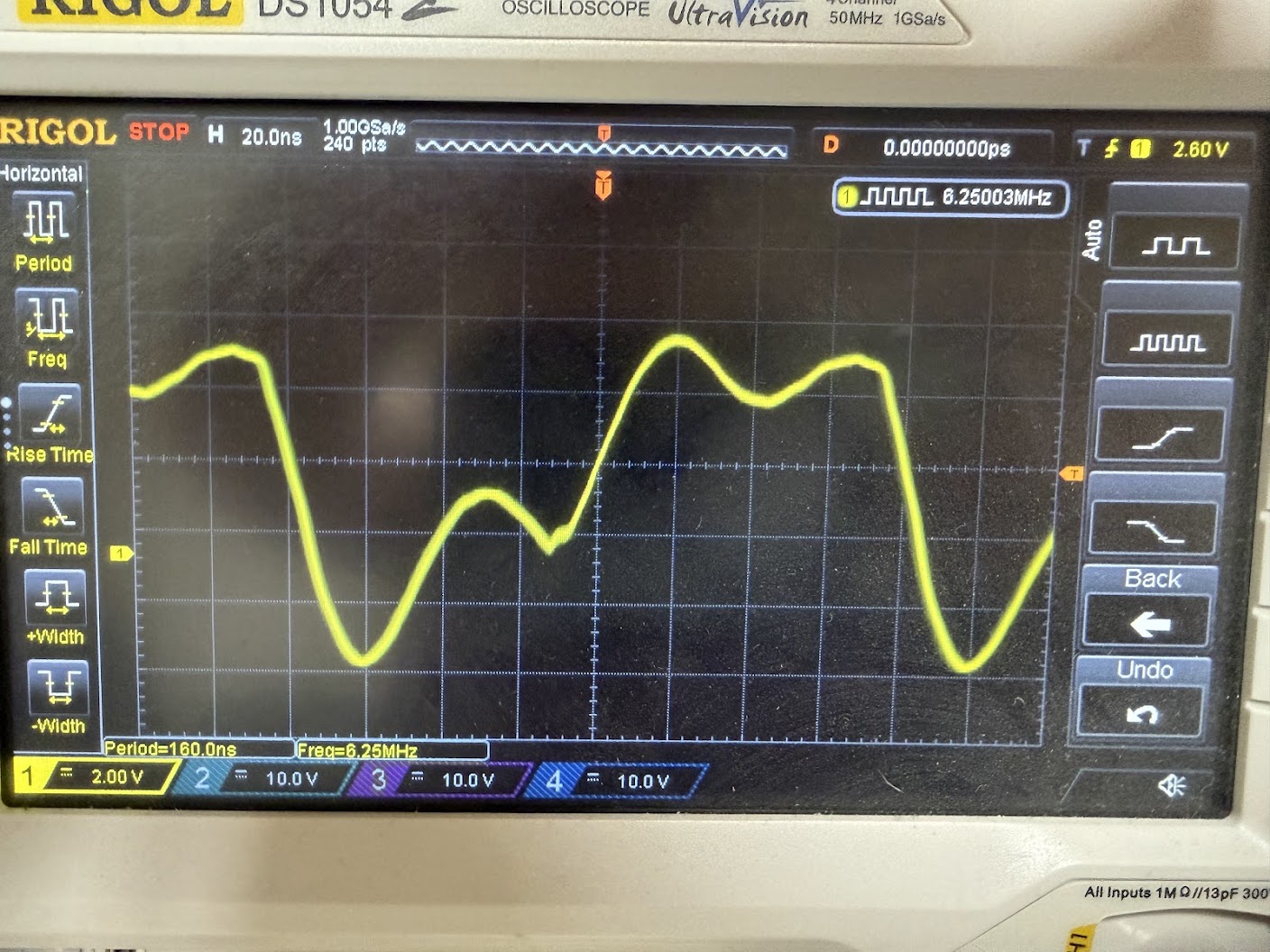
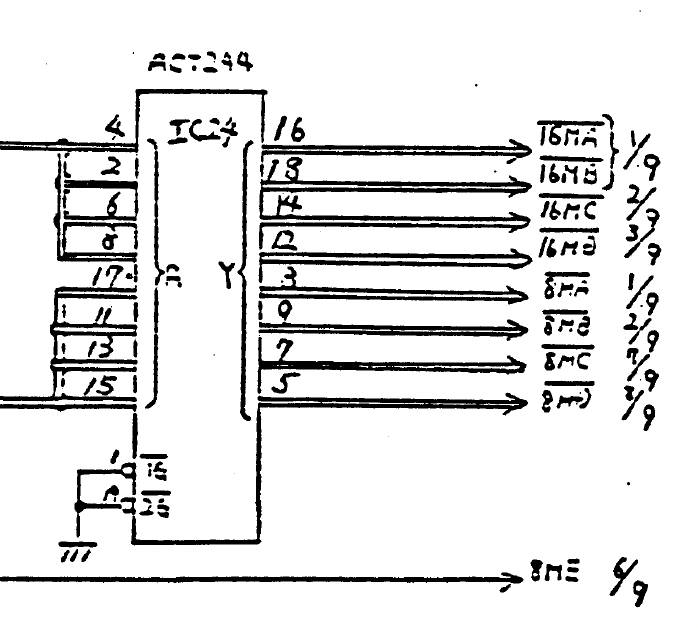
Time to check the TTL logic chips that feed the clock signal to the Z80. The Z80 clock signal line is labeled “8MC” on the schematics.
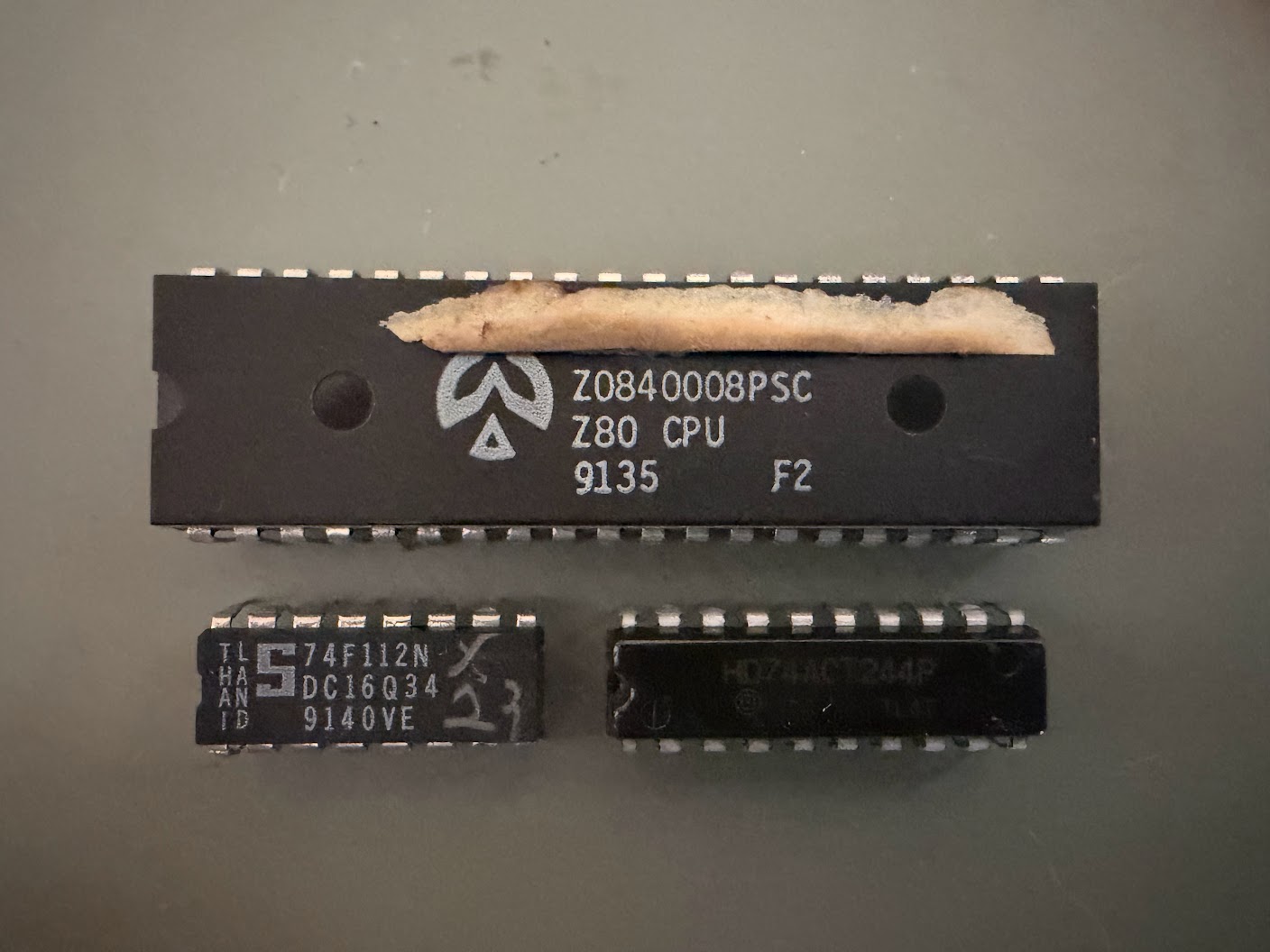
And the schematics show that 8MC is output from Pin 7 on a 74LSACT244 TTL chip located at IC24.
I desoldered IC24 from the board and it tested bad out-of-circuit in my logic chip tester.
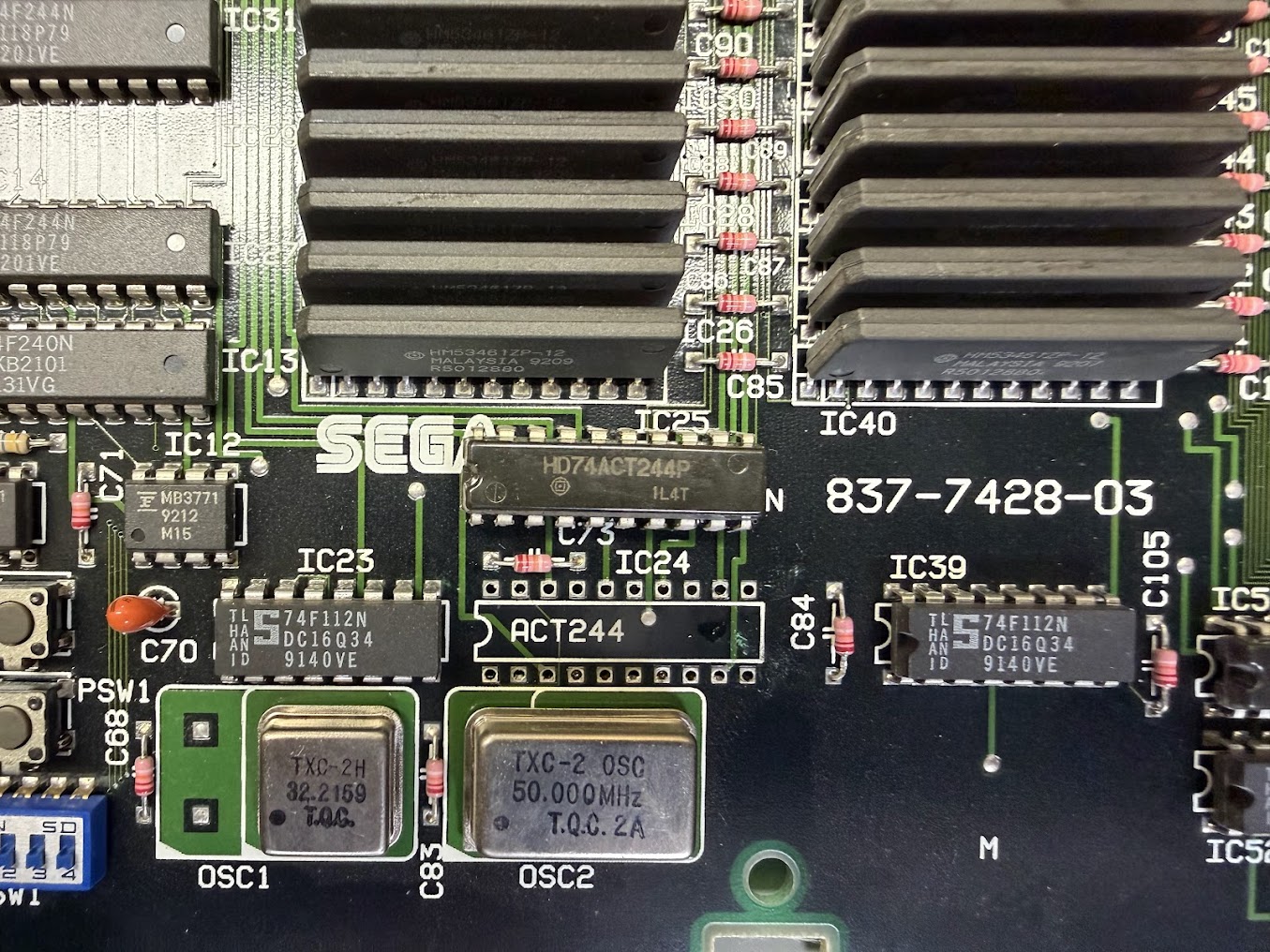
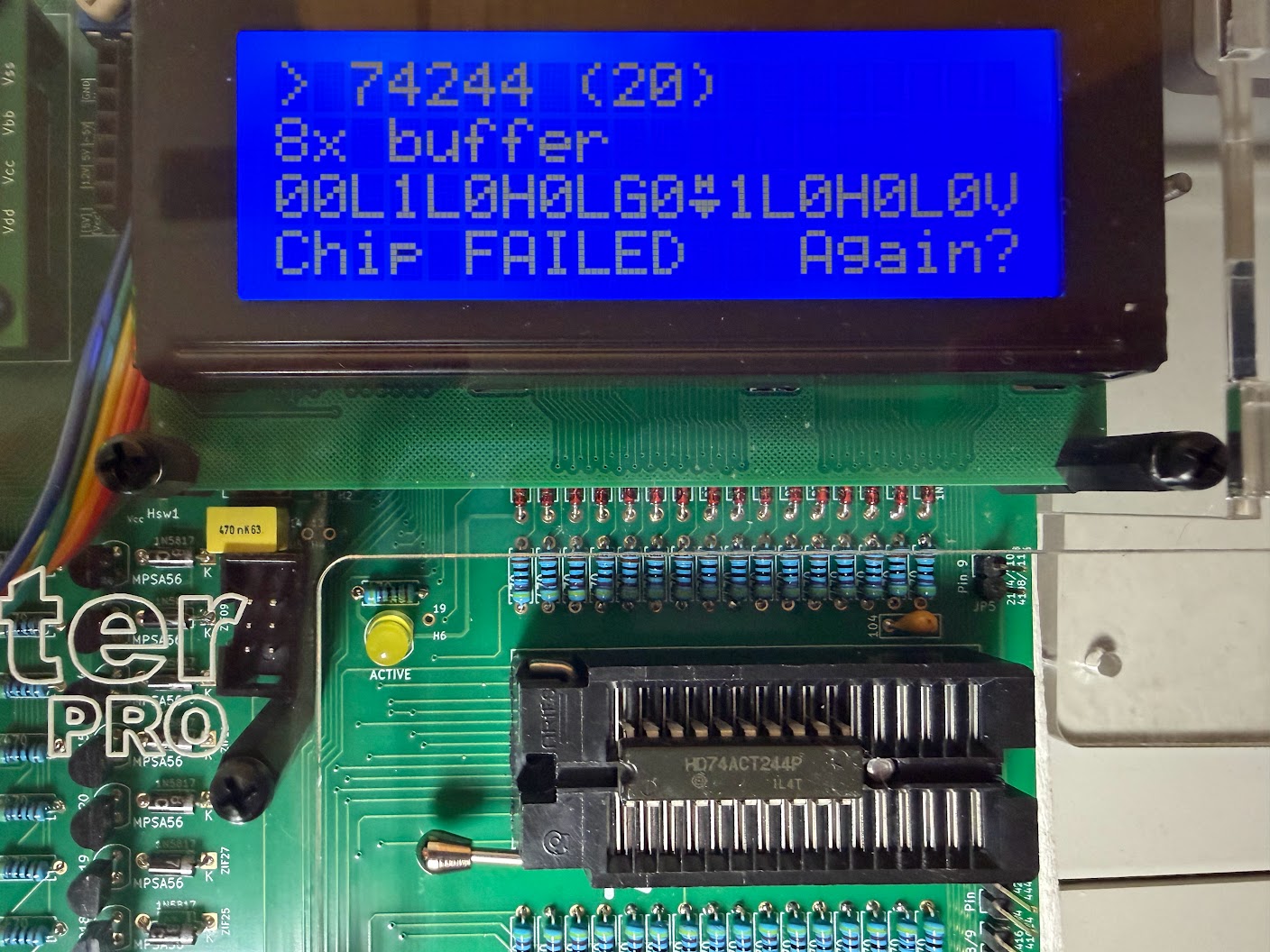
Since clock signals are driven at a high speed, a standard 74LS244 replacement part won’t suffice. A standard 74LS244 can handle 10 – 15 ns signal switching. The ACT designation on both the schematics and board means that a faster ACT series chip capable of 1 -2 ns signal switching is needed. I had to order some in and for them to arrive.
Unfortunately, the replacement part didn’t fix the board – it still hung with a black screen at boot. I started probing around the other TTL parts in the clock distribution circuits, when to my surprise the board suddenly sprung to life!
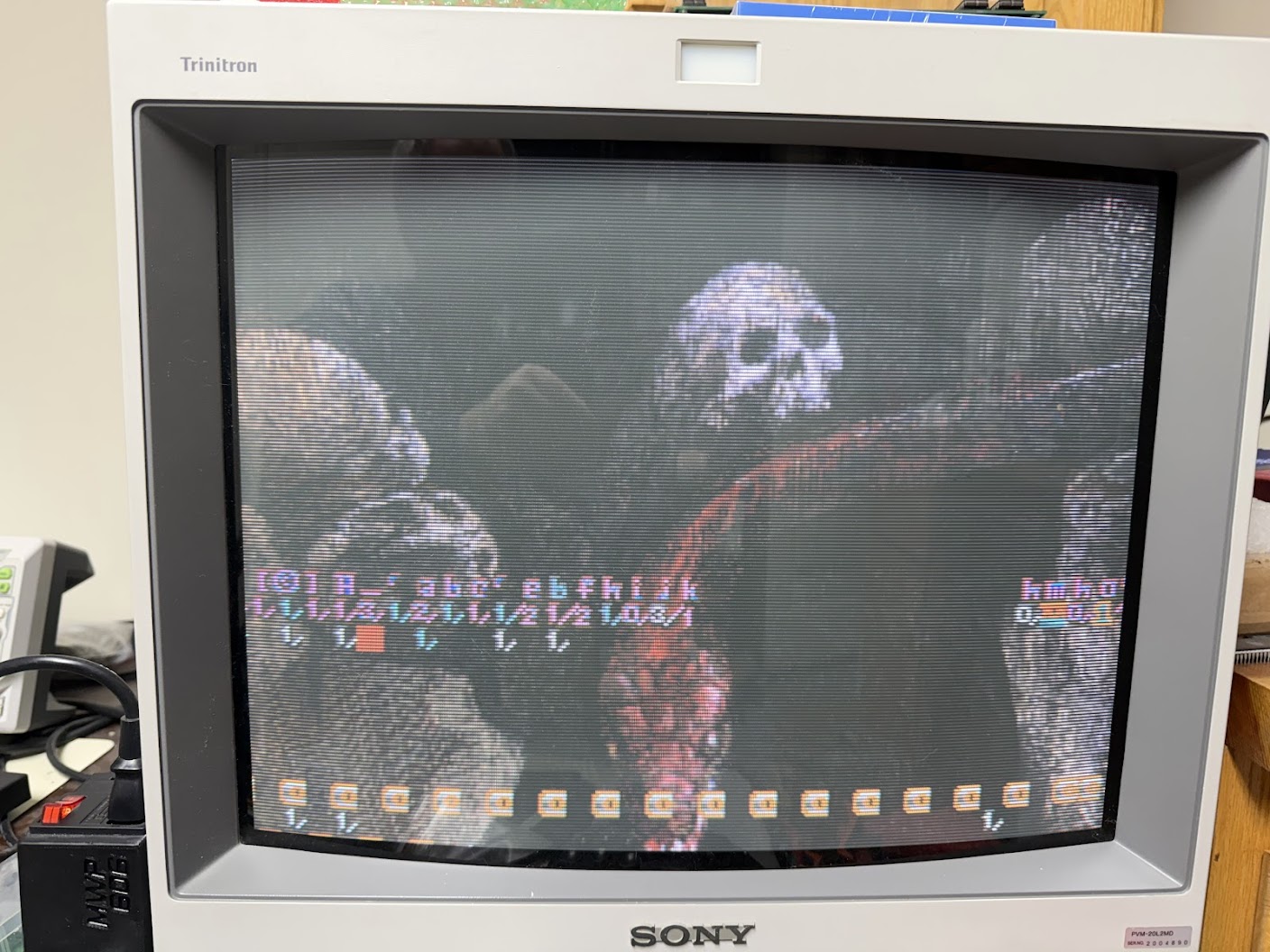
Sure, the sprites were garbled and there wasn’t any sound, but I was still pleased to see signs of life. This definitely hints at more problems in the clock distribution circuits. I found that probing IC23 is what would jumpstart the board, so I desoldered that part from the board, and sure enough it tested bad out of circuit.
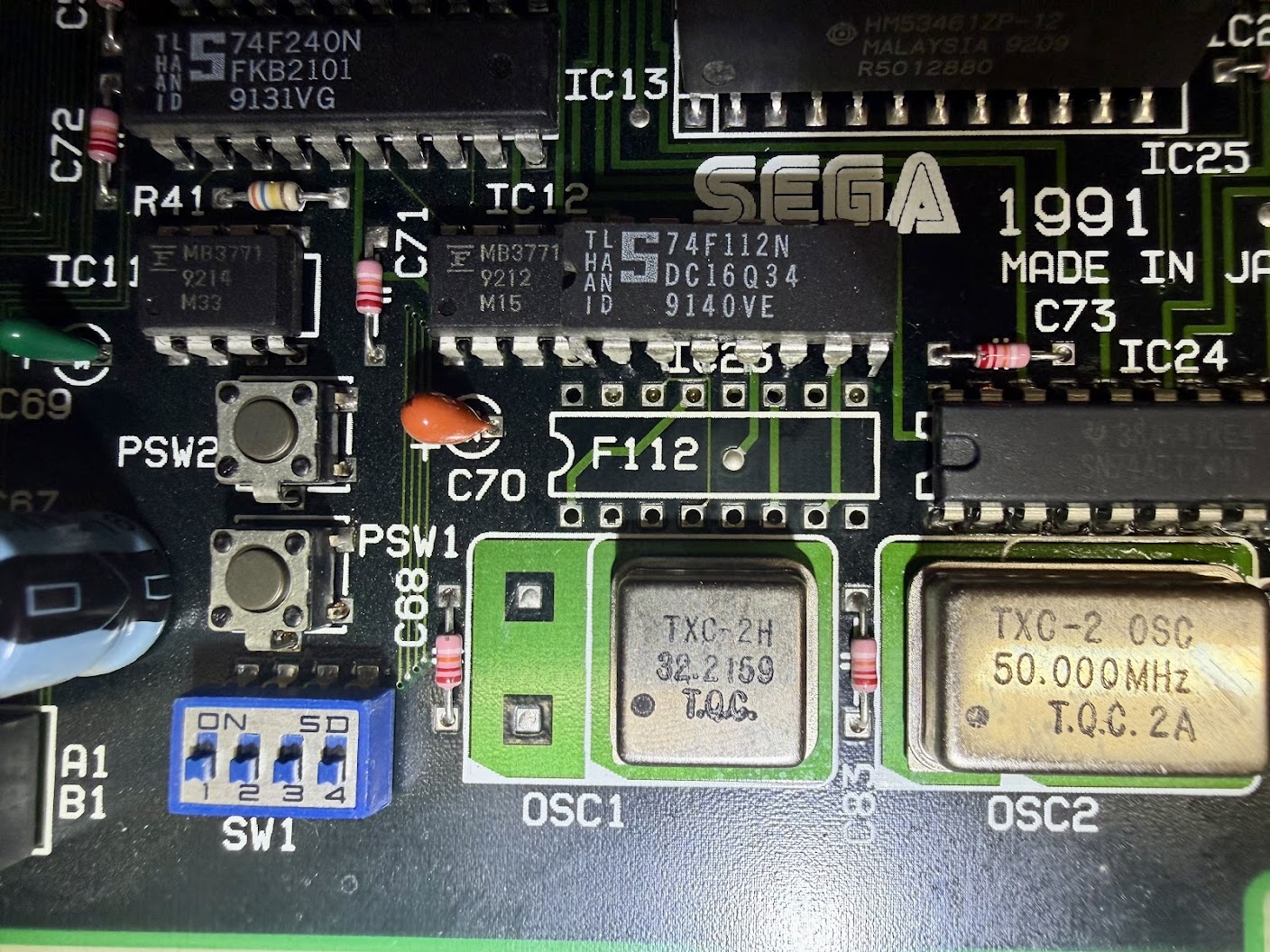
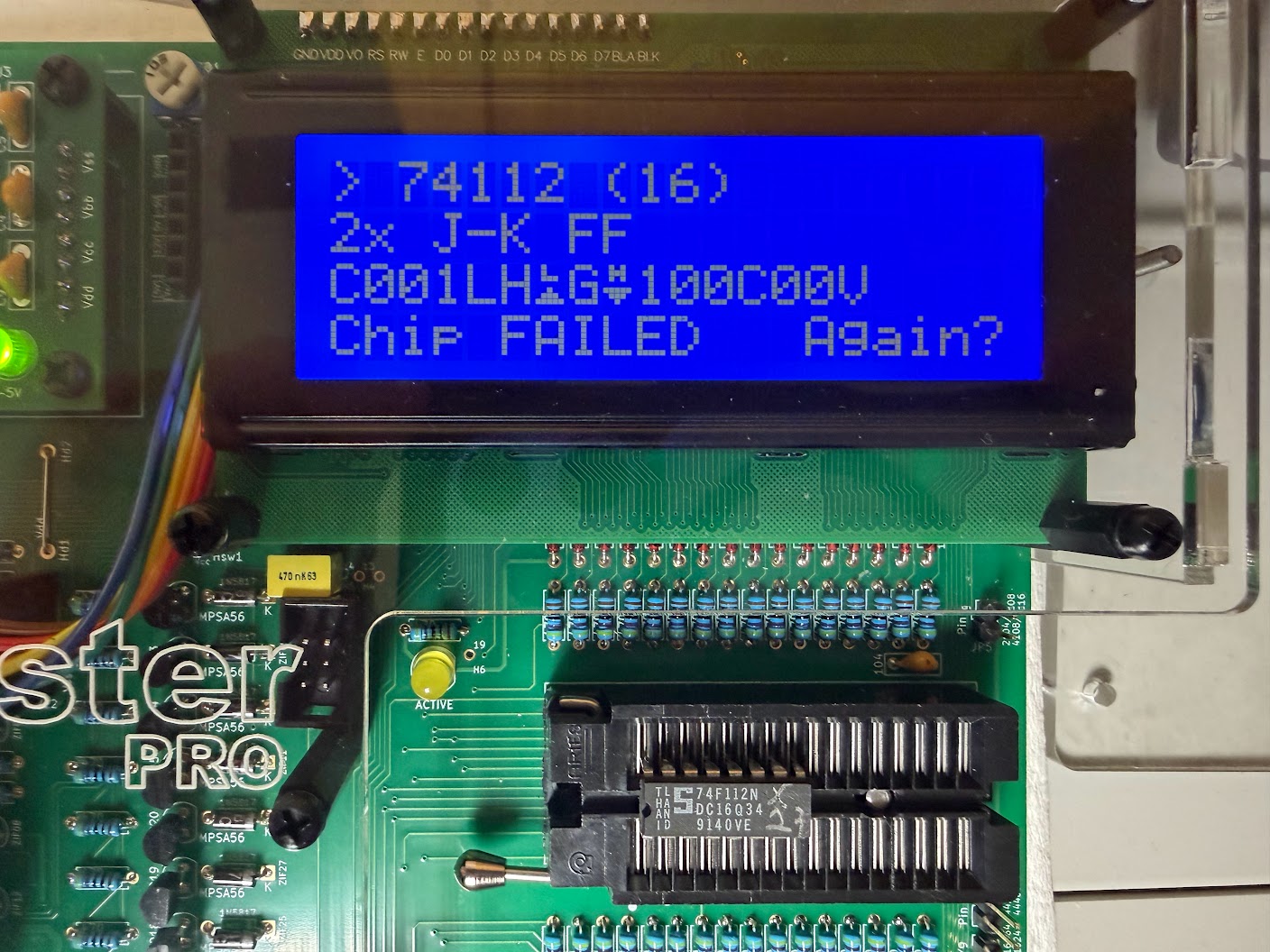
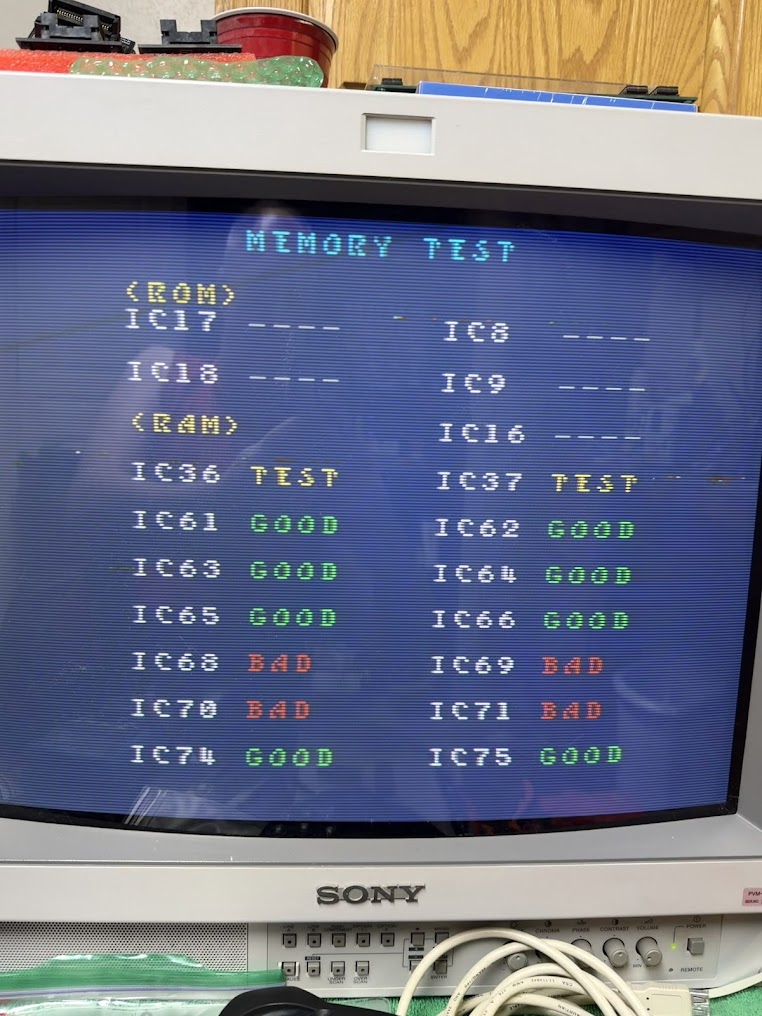
This part is a 74F112N and I had planned ahead and ordered replacements for these in at the same time as the ACT244s, so I was able to swap a fresh part in right away. However, it still didn’t completely solve the problem. The board would now boot up on its own with clean graphics, but not consistently. The sound also didn’t work, and the game would freeze up often. The self-diagnostic routine in the Service Menu marked four components as faulty and then froze when testing the ROMs.
Since the sound wasn’t working, I decided to check the Z80 Sound CPU in detail for proper operation next.
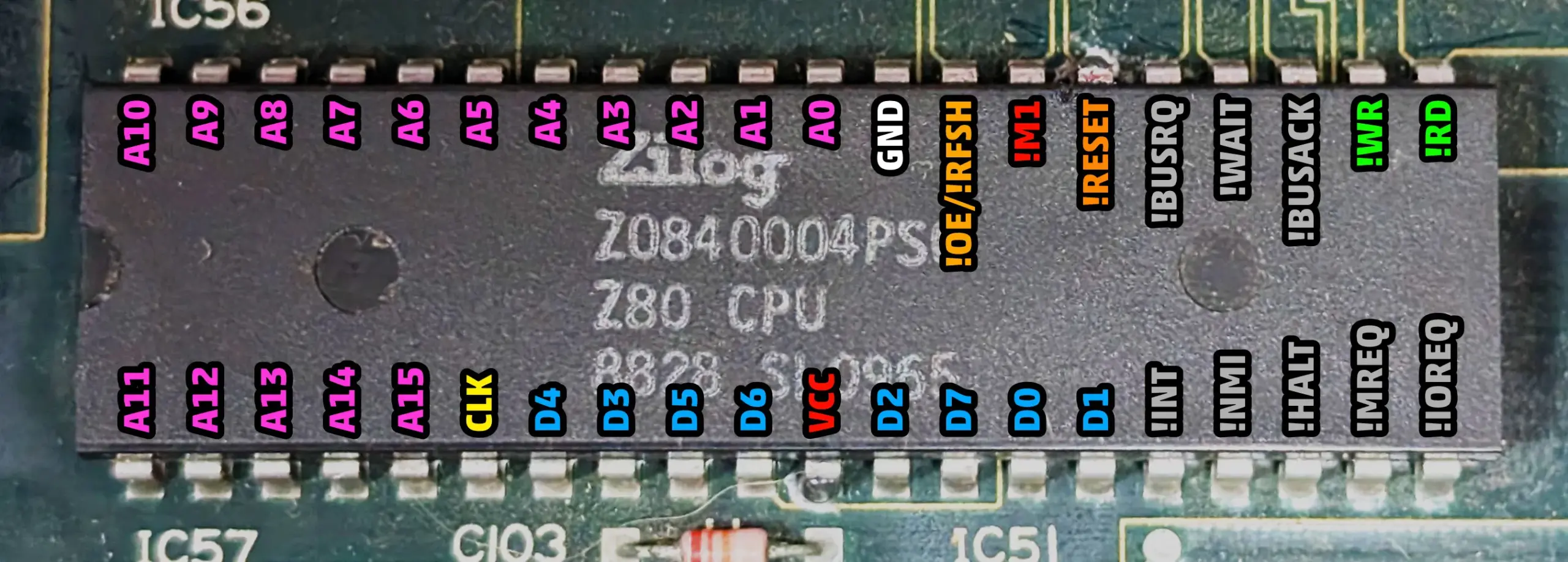
In addition to the Clock and Reset signals I mentioned earlier, there is also the HALT signal on Pin 18 that will go High only if the Z80 software program triggers it to stop. It probed Low as expected.
Pin 27 is M1 and it starts High and toggles Low when fetching an opcode from memory at the beginning of every machine instruction in the software program. The M1 signal on this Z80 probed as holding High continually so the CPU was not processing instructions – very suspicious.
Next, I checked the WAIT signal on Pin 24. If it is holding Low then another component on the board is triggering the Z80 CPU to stop. It probed as holding High, so nothing else was triggering the Z80 to wait.
Then, I checked the BUSRQ (Bus Request) signal on Pin 25. If it reads Low, that means that another peripheral on the board (such as a DMA controller) has asked the Z80 to release the bus so shared resources (such as memory) can be accessed. The Z80 triggers the BUSAK (Bus Acknowledge) signal after it’s released the bus so that the requesting peripheral knows it can proceed with its operations. The requesting peripheral would then set BUSRQ back to High again when it completed its work and was ready for the Z80 to take back the bus and resume operation. In this case, the BUSRQ signal showed High briefly at power on, then went Low and held there. This meant that the Z80 was receiving a signal to release the bus but then never received a signal to “wake back up” again. Suspicious!
Finally, I checked the BUSAK signal on Pin 23 and finally found the smoking gun. BUSAK is only supposed to trigger after a BUSRQ signal, but on this Z80 the BUSAK was triggering continuously – at exactly the same frequency as the Z80’s 8 mhz Clock signal no less!
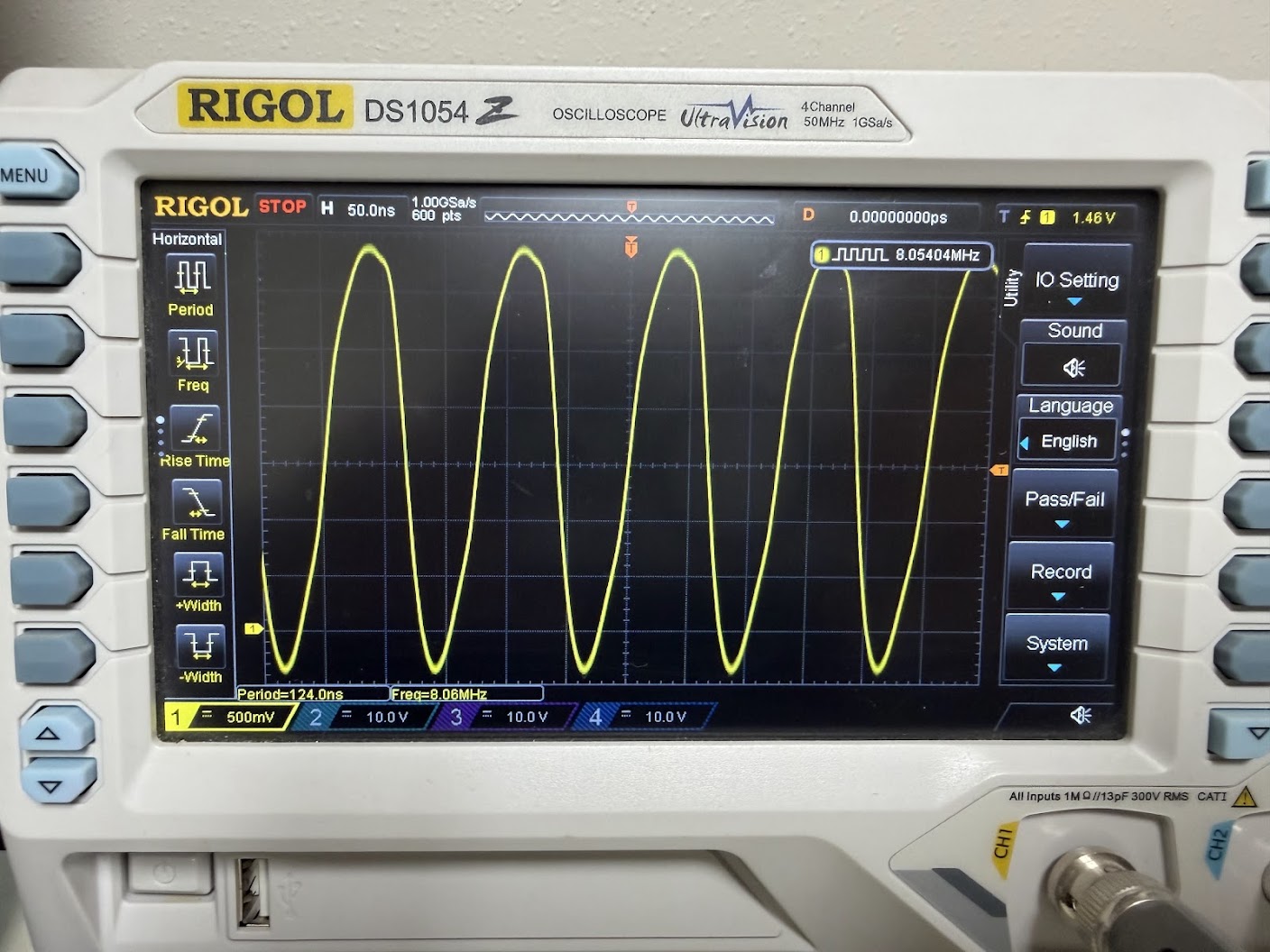
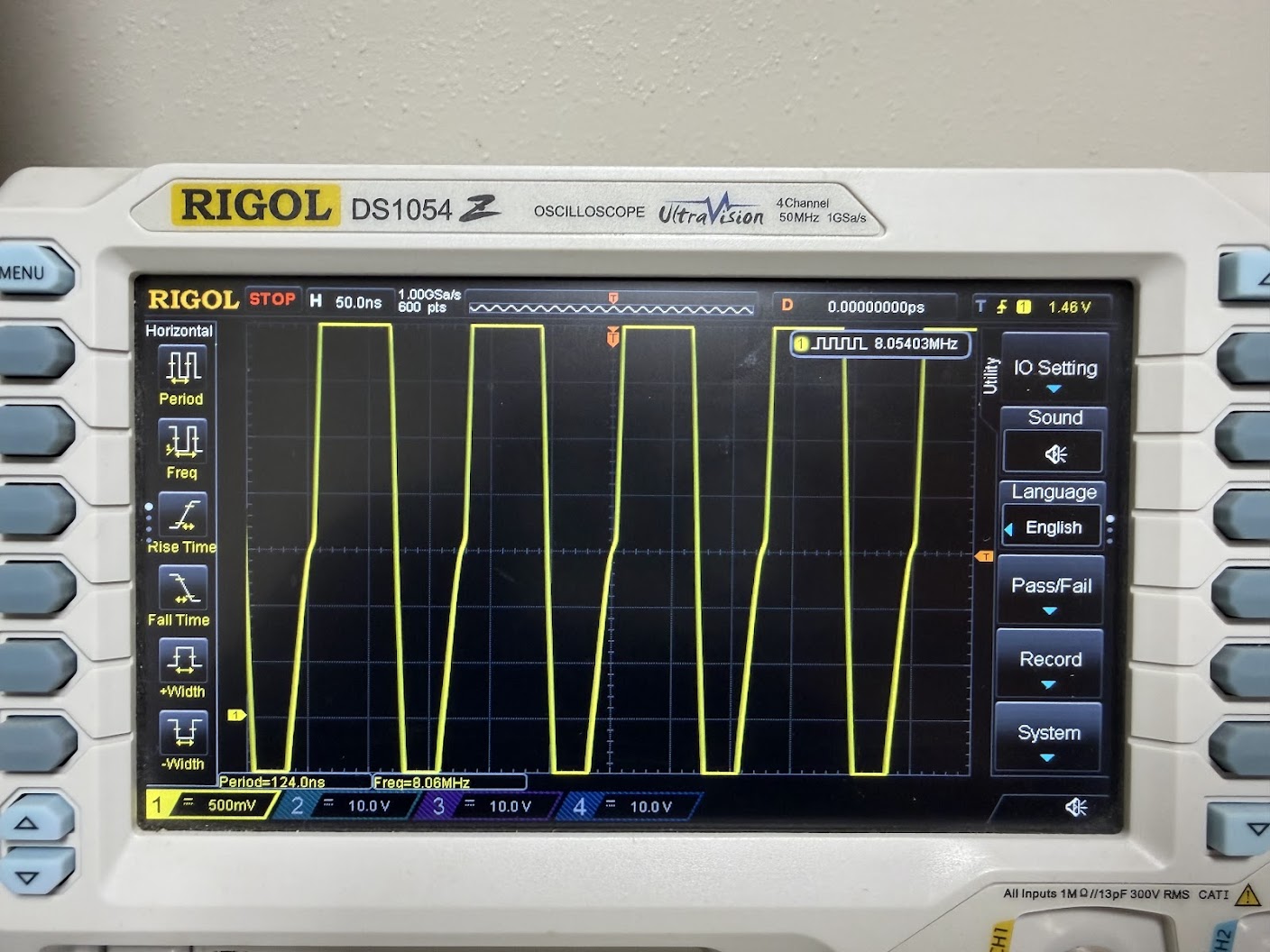
This confirmed that the Z80 Sound CPU had failed internally in such a way that the BUSAK line was “echoing” the Clock signal. That was likely confusing all the other components on the board that tied to it!
I desoldered the Z80 CPU, installed a 40 pin socket, and swapped in a replacement 8 mhz Z80 CPU.
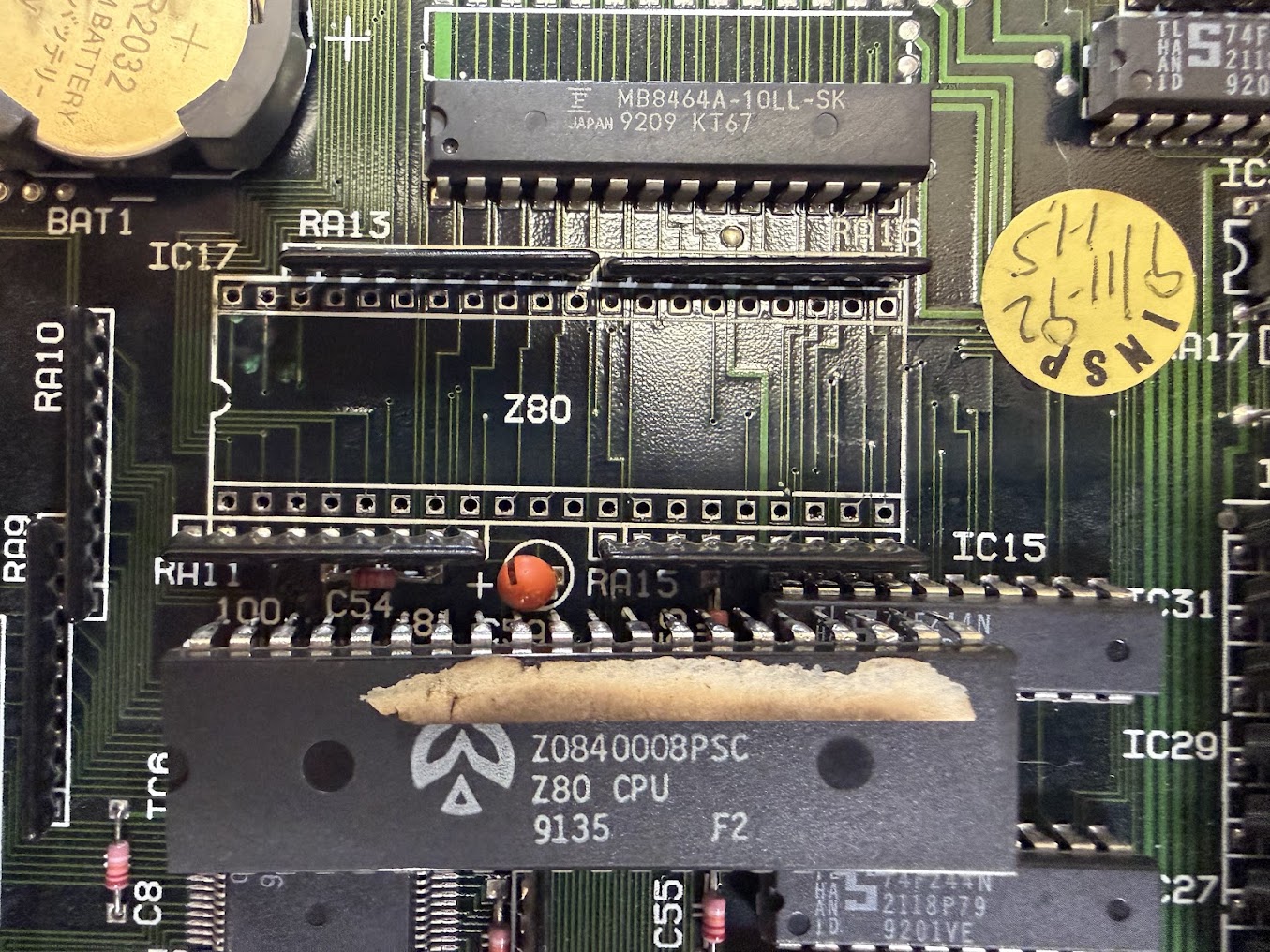
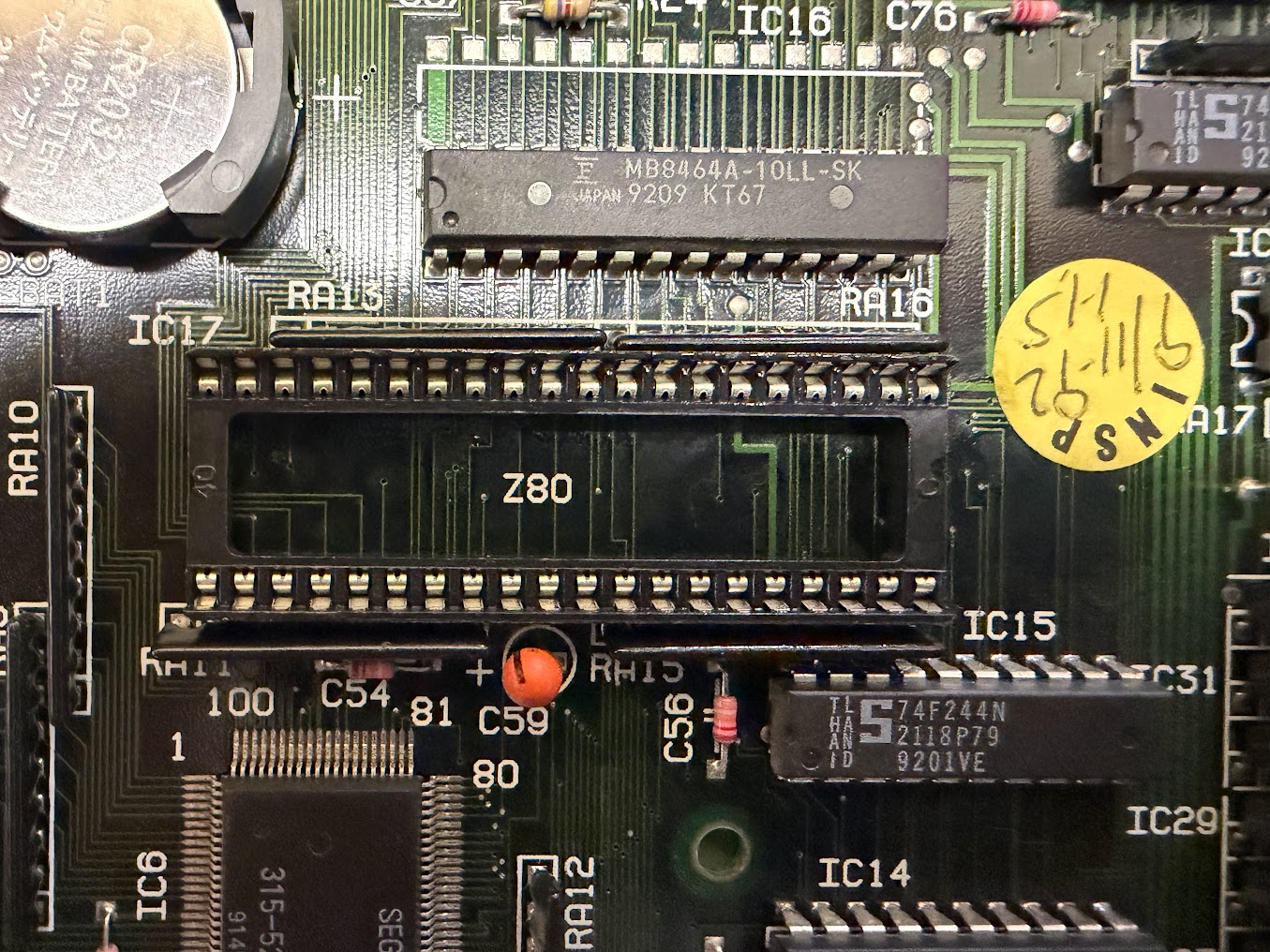
Happily this time when powering on, the board functioned perfectly! Sound was present, the game didn’t freeze up, and the self-diagnostics passed with flying colors!
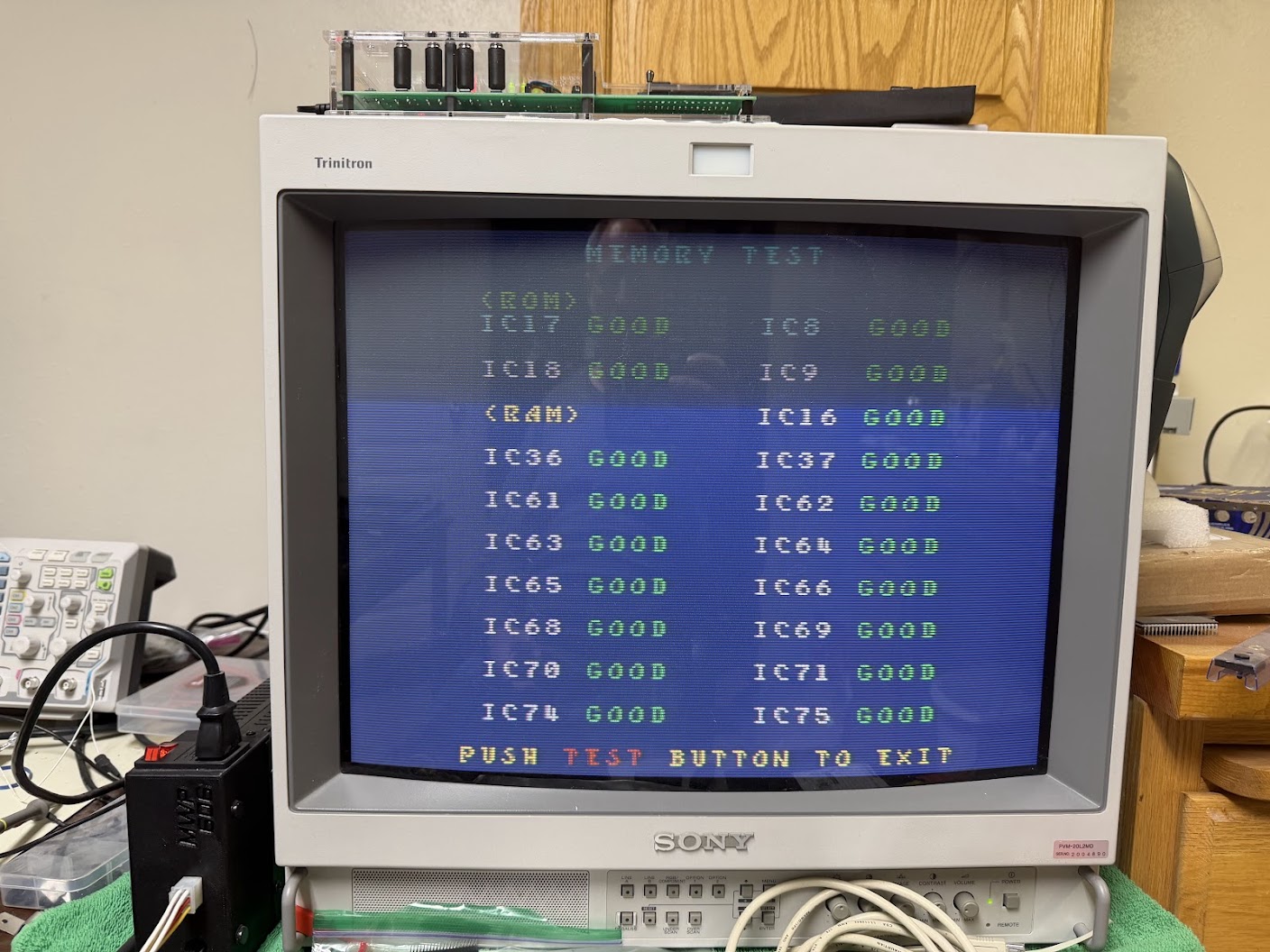
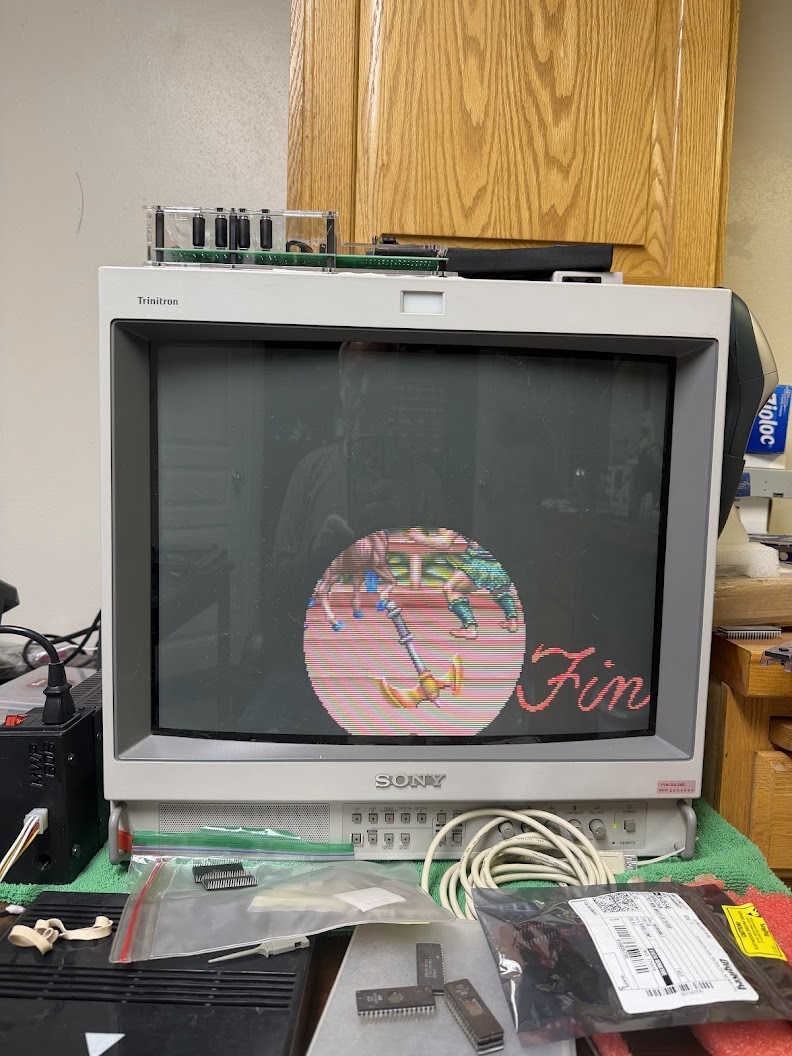
For good measure, I played through the entire game successfully, and left the game running overnight. There were no freezes and the game continued working perfectly. A successful repair!
Sorry, the comment form is closed at this time.